
AI Movie Aspect Ratio: Portrait vs Landscape
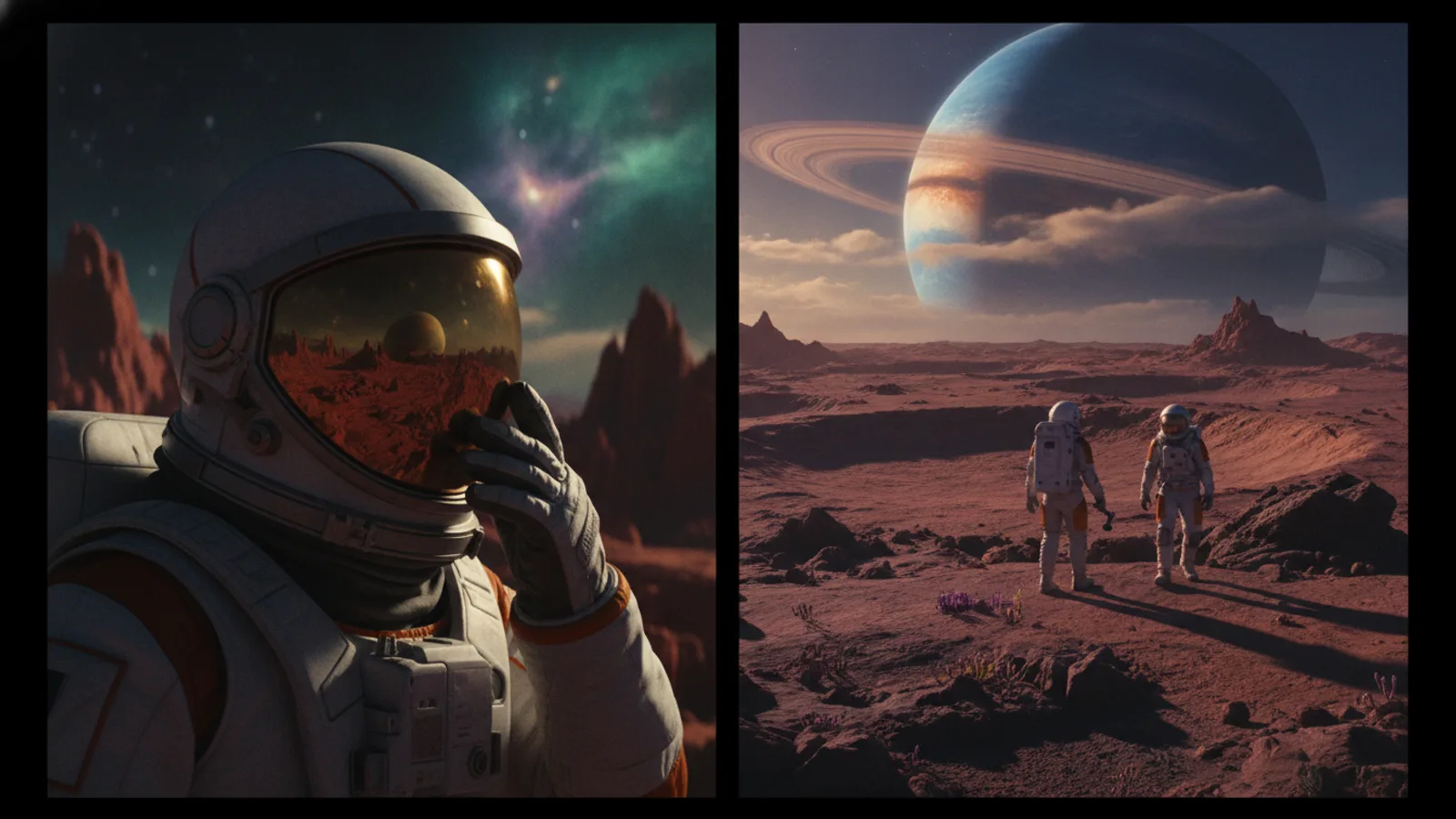
Choosing between portrait and landscape is one of the first creative decisions you make when starting a new AI movie. On Cinely, you select your aspect ratio before you generate your film, as the AI models frame and compose each scene specifically for that format. This isn't just a technical checkbox—it's a foundational choice that determines how your audience sees your story, where they'll watch it, and the feeling it evokes. Getting this decision right from the start ensures your cinematic vision is intact from the first frame to the last. Before you create your first scene, it's worth understanding exactly what each format asks of your story.
How AI Movie Aspect Ratio Shapes Your Story
The aspect ratio you choose acts as the literal window into your film's world. In Cinely, picking landscape mode tells the AI to compose for a classic widescreen canvas. It expects broader vistas, two-shots of characters in conversation, and sweeping establishing shots that use the full horizontal space. The AI generates scenes with this cinematic language in mind. Conversely, selecting portrait mode instructs the AI to think vertically. It will prioritize single-character focus, tighter compositions, and details that stack naturally from top to bottom. This choice is locked in for your generation; trying to reframe a landscape movie into a portrait one later would require cropping out significant parts of each scene, often ruining the composition. The format dictates the AI's creative process.
Portrait AI Video: For Short-Form and Intimacy
Portrait aspect ratio, typically 9:16, is engineered for the phone-first viewing experience. It's the native format of TikTok, Instagram Reels, and YouTube Shorts feeds. When you create a portrait AI movie in Cinely, you're creating content designed to stop a scrolling thumb. The vertical frame lends itself to intimate, personal stories—a character delivering a monologue directly to the viewer, a suspenseful moment focusing on a character's reaction, or a quick, impactful visual gag. The format creates a sense of proximity and immediacy. If your goal is to share your AI movie directly on social feeds where vertical video dominates, starting with portrait is the strategic choice. It means your film will play full-screen without awkward black bars or forced zooming, giving it a native, professional look in its intended environment.
Landscape AI Video: For Cinematic Scope
Landscape aspect ratio, commonly 16:9, is the language of traditional cinema, television, and YouTube. Choosing this format in Cinely signals a more expansive, narrative-driven approach. It gives the AI room to build worlds, show relationships between characters within a single frame, and create a sense of place. Think of epic shots in your favorite sci-fi or fantasy films—those demand horizontal space. A landscape AI movie feels like a classic film or web series. It's the right choice if you plan to publish to YouTube, embed on a website, or if your story involves group dynamics, expansive environments, or side-by-side action. This format carries an inherent expectation of a more deliberate, watch-focused experience, rather than a scroll-stopping moment.
Making Your Decision: A Practical Guide
Your choice between portrait and landscape should be guided by your story's destination and its core scenes. Run through this quick checklist before you commit:
- Where will this be watched? If the answer is "primarily on social media feeds," lean towards portrait. If it's YouTube, a website embed, or a TV-style binge, lean landscape.
- What is the emotional core? For intense character studies and direct address, portrait can be powerful. For ensemble pieces and world-building, landscape is usually stronger.
- What are your signature shots? If you're imagining wide vistas of alien worlds like those in sci-fi AI movies, you need landscape. If you're picturing a tense, close-up confession in a mystery story, portrait amplifies the suspense.
- How long is it? Quick, punchy pieces under a minute thrive in portrait. Multi-scene narratives with a plot arc read better in landscape.
A useful tie-breaker: imagine the single most important frame in your film. If that frame is one face filling the screen, choose portrait. If it's two characters facing off, or a character dwarfed by their environment, choose landscape. There's no universally correct answer—only the right answer for this specific project. You can always pick a different format for your next film.
Common Aspect Ratio Mistakes to Avoid
Even experienced creators trip over the same few pitfalls, and most of them are easy to sidestep once you know what to look for.
The first mistake is choosing a format based on personal habit rather than the audience. If you always shoot landscape because it "feels like real movies," but your viewers live on TikTok, you're fighting the platform. Match the format to where the film will actually be seen, not to what looks familiar in your editor.
A second common error is generating in one orientation and planning to crop into the other "later." Because Cinely composes each scene for the ratio you pick, cropping a 16:9 frame down to 9:16 throws away roughly half the image and usually slices a character out of frame. The composition the AI carefully built collapses. Decide first, generate once.
A third pitfall is ignoring text and captions. Vertical portrait video leaves generous vertical room for on-screen text and subtitles, while horizontal landscape video forces captions into a thinner band. If text is central to your story, factor that into the choice before you generate rather than discovering it during the edit.
From Aspect Ratio to Final Edit
Once you've generated your AI movie in your chosen format, your editing workflow follows suit. A portrait movie will be easiest to edit and add text overlays to within vertical-first mobile apps or editors. A landscape movie may benefit from more traditional desktop editing software to refine its narrative pacing. Remember, your aspect ratio also influences sound design and music choice—a wide landscape film might call for a broader, more atmospheric score, while a tight portrait film might use more intimate, dialogue-focused sound. This initial decision ripples through every subsequent creative choice, which is why Cinely has you set it upfront in the Cinely studio.
When the film is done, the format keeps working for you. Portrait pieces drop straight into short-form feeds, while landscape pieces sit comfortably on a homepage or in a series. Either way, you can publish and share the finished result from your watch page, where the right aspect ratio means full-screen playback with no black bars or awkward zooming. Set the format with intention, and every step from generation to distribution falls into place. It's the first real decision in directing your AI-generated film.
- Can I change my AI movie from portrait to landscape after generating it?
- No, not without significant compromise. Cinely generates each scene specifically for the aspect ratio you select at the start. Trying to convert a portrait movie to landscape (or vice-versa) would require cropping the video, which cuts out major parts of the scene and often ruins the AI's careful composition. You need to decide based on your story and platform before you generate.
- Which aspect ratio is better for earning with my AI movies?
- It depends on your audience's platform. Portrait (vertical) videos typically perform better in short-form social feeds like TikTok and Instagram Reels, where they can be watched full-screen without rotation. Landscape (widescreen) videos are standard for platforms like YouTube, which may be better for longer-form narrative series. Consider where you plan to share your work from Cinely's [`/watch`](/watch) page to guide your choice.
- Does Cinely support other aspect ratios like square or cinema widescreen?
- As of now, Cinely's generation is optimized for the two most critical formats: portrait (9:16) for mobile/short-form and landscape (16:9) for cinematic/web viewing. [VERIFY: Are square or anamorphic widescreen (e.g., 2.39:1) options available in the studio?] These two core options cover the vast majority of distribution needs for AI-generated films.
Written with AI assistance and edited by the Cinely Team.