
How to Add Dialogue to AI Movie Scenes in Cinely
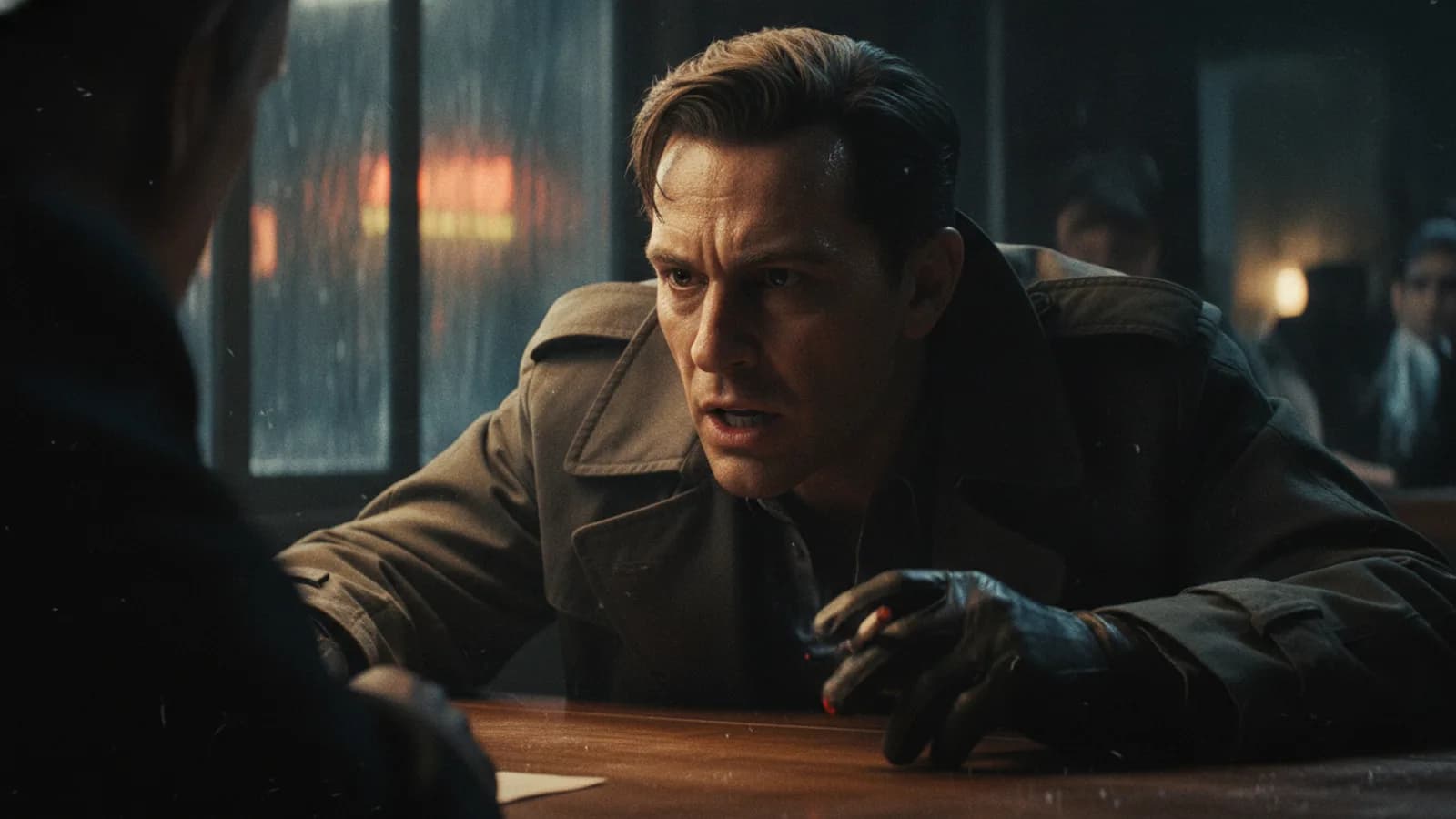
You have a scene in mind for your AI movie, but you don't want a silent film. You want your characters to talk, to argue, to confess, to joke. Getting an AI to generate that dialogue in a way that feels natural and drives the scene forward requires a specific approach. You don’t just type a script and paste it in. In Cinely, you build scenes from staged moments, and dialogue emerges from how you frame those moments in your prompts. Learning how to add dialogue to AI movie scenes is about guiding the character's intent and action, letting the words flow from that foundation.
Frame Dialogue Through Character Action
Think of it like directing an actor. You wouldn't just hand them their lines; you'd explain their motivation, what they're doing, and what they want in the moment. That's how you get a compelling performance from an AI character. Instead of writing "Character A says 'I'm scared,'" you prompt the scene around the action that leads to the dialogue. For example:
- Weak Prompt: "Two people in a cafe. One says 'I think we should break up.'"
- Strong Prompt: "A tense moment in a quiet cafe. One person, unable to meet the other's eyes, pushes their coffee cup away and finally whispers a painful truth."
The second prompt sets the stage. The AI understands the context—the tension, the avoided gaze, the physical action—and generates dialogue that fits that specific, charged moment. The line might still be "We should break up," but it will be delivered with the weight and hesitation you framed. This method consistently yields stronger, more emotionally resonant scenes.
Build on Staged Moments, Not Scripts
Cinely doesn't animate a screenplay line-by-line. It visualizes staged moments. Your prompt is the blueprint for a single beat of the story. Therefore, your dialogue prompt should be a complete, self-contained beat. Think of it as a mini-scene description where the talking is part of the action. A prompt like "A detective slams a photo on the table, demanding answers from a suspect" will generate a scene with the detective performing that action and likely speaking a demanding line. The dialogue is a natural outcome of the visual action you described. This approach keeps your movie dynamic. You're not just recording talking heads; you're creating scenes where dialogue and movement are intertwined, making the final result feel more like a movie and less like a slideshow of conversation.
Techniques for Different Conversational Tones
You can steer the tone of the conversation by how you detail the moment in your prompt. The AI interprets the emotional cues you provide.
- For Conflict: Heighten the physicality. "Two siblings stand amid a shattered vase, faces flushed, pointing accusingly at each other."
- For Romance: Focus on proximity and subtlety. "One character gently tucks a stray hair behind the other's ear, their words soft and hesitant."
- For Comedy: Use incongruity or a clear setup. "A character tries to give a serious pep talk while slowly sliding down a muddy hill."
By embedding the desired tone into the action, you give the AI character clear direction on how to speak. The words generated will carry the argumentative heat, the romantic tenderness, or the comedic timing implied by the setup. You can explore genres and see this in action on the /explore/comedy or /explore/romance pages.
Crafting Multi-Turn Exchanges
What about a longer back-and-forth? Since each prompt generates one primary visual moment, you build a conversation across consecutive prompts. Treat it like shooting coverage in a film. Start with the initiating action and dialogue beat. For the next prompt, reframe the moment to focus on the other character's reaction and their response.
- Prompt 1 (Initiation): "Close-up. The hero grabs the villain's arm, their voice low and threatening as they deliver an ultimatum."
- Prompt 2 (Reaction/Response): "The villain smiles coldly, prying the hero's hand off their arm before delivering a mocking retort."
This sequential method gives you control over the pacing and focus of the exchange. You can cut between speakers, emphasize reactions, and build tension shot by shot, just like an editor would. It’s the most effective way to create a sense of authentic ai characters talking. If you also want those lines heard, see how to get AI video with real sound, matched voices and subtitles.
Advanced Prompting for Specific Lines
Sometimes you do have a specific line in mind. You can still use the action-framing technique to make it land. Weave the key phrase into the description of the action or the character's goal.
- Instead of: "Say 'It's over, Jax.'"
- Try: "The character turns away, unable to look at Jax any longer, and mutters the final words, 'It's over.'"
This tells the AI the line is important, the emotional state while delivering it, and the physical action accompanying it. The result is a more integrated and powerful delivery than a standalone line of dialogue. To practice building these layered scenes, head to the /create page and start experimenting with prompts that focus on action-driven conversation.
Final Polish and Pacing
After you generate your dialogue scenes, review them as part of your movie's sequence. Do the conversations flow naturally from one beat to the next? Does the pacing feel right? You may find you need to insert a silent reaction shot (a prompt with no implied dialogue) between two lines to let a moment breathe. The power is in your hands as the director. By mastering the link between character action and spoken word, you move from creating images with sound to telling stories with authentic, compelling ai movie dialogue. For inspiration on how dialogue drives narrative in finished films, check out the /watch page to see how other creators are doing it.
- Can I type out a full script for the AI to act out?
- Not directly. Cinely builds scenes visually from the moments you describe in prompts, not from text scripts. For the best results, translate your script into a series of action-driven prompts. Describe what the character is doing and feeling in the moment you want a line delivered. The AI will generate appropriate dialogue that fits that specific staged action, making the scene feel more dynamic and integrated.
- How do I control what my AI character actually says?
- You guide the dialogue by controlling the context. Be specific in your prompt about the character's goal, emotional state, and physical action. For a specific line, frame it as the outcome of an action (e.g., "...and whispers a warning: 'Don't go in there.'"). The AI interprets the full scene description, so detailed context leads to more on-target dialogue that matches your intent.
- Why does my generated dialogue sometimes feel generic or off-topic?
- This often happens when the prompt is too vague. Prompts like "two people talking" give the AI little direction. Add concrete details: where they are, their relationship, what just happened, and their immediate physical actions. The more you define the dramatic moment, the more specific and relevant the resulting dialogue will be. It's about providing clear directorial intent.
Written with AI assistance and edited by the Cinely Team.