
Sign Up and Get Started with Cinely
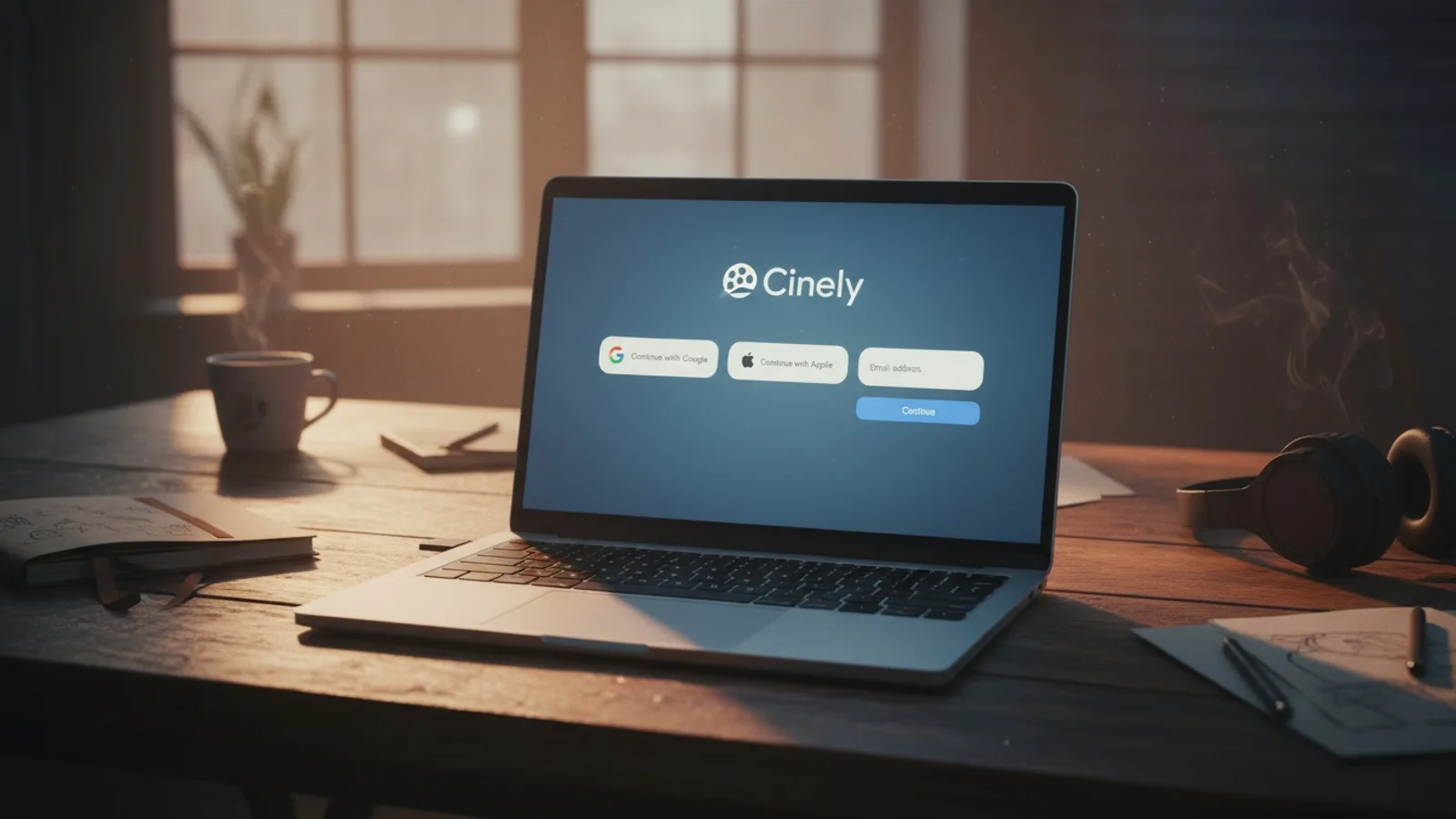
Creating a Cinely account is your first step toward becoming an AI filmmaker. It transforms you from a spectator into a creator, unlocking the tools to generate your own movies and manage your channel. While you can freely enjoy the vast library of creator series without any login, your personal account is the gateway to the core creative experience. The cinely sign up process is designed for speed, using familiar social logins or a simple email verification. This guide details every step, explains what you gain with an account, and provides actionable tips for what to do immediately after you join.
How to Create Your Cinely Account
Signing up for Cinely is a quick, three-option process. You’ll find these choices on the main website or within the app when you attempt to access a feature that requires an account, like the AI movie maker.
Option 1: Continue with Google. This is often the fastest method. Click the "Continue with Google" button. You’ll be redirected to Google’s secure login page (if you aren’t already signed in). Select the Google account you want to use. With one more click to grant permissions, your Cinely account is instantly created and logged in, using your Google name and email.
Option 2: Continue with Apple. If you’re on an Apple device, this integrated option works similarly. Click "Continue with Apple." You can choose to share your real email with Cinely or use Apple’s private email relay feature, which forwards messages to your real address while keeping it hidden. Confirm with Face ID, Touch ID, or your password, and your account is ready.
Option 3: Sign up with Email. Prefer not to use a social account? Enter your email address in the provided field and click to proceed. Almost instantly, a numeric verification code will be sent to that inbox. Find the email (check your spam folder if it doesn’t appear), then type that 6-digit code back into the Cinely sign-up form. This verifies you own the email address and completes your registration. No traditional password to create or forget.
Immediate Next Step: After any of these methods, you are automatically signed in and can navigate directly to the AI movie maker to start your first movie.
Logging In to Your Existing Account
Returning to Cinely is straightforward. Click the sign-in option on the site.
- Google/Apple Users: Simply click the same button you used for sign-up (“Continue with Google/Apple”). The system recognizes you and logs you in instantly.
- Email Users: Enter your registered email address. Request a new verification code, retrieve it from your email, and enter it. This code is valid for a single login session for security.
Common Login Issues & Fixes:
- No verification email? Always check your spam or junk folder first. Gmail users should also look in the "Promotions" tab.
- Using the wrong email? Double-check the address you typed. A typo means the code went to a non-existent inbox.
- Code not working? Each code is time-sensitive. If you wait too long, request a fresh one.
What You Gain with a Cinely Account (The Creator Toolkit)
An account is non-negotiable for active creation. Here’s exactly what unlocks:
1. Access to AI Movie Creation (/create): This is the main event. Your account gives you a seat in the director’s chair. You can input prompts, select genres like those found in /explore/sci_fi or /explore/romance for inspiration, generate scenes, edit narratives, and produce complete, shareable films.
2. Ability to Download Your Videos: Once you generate a movie, you likely want to save it. Only logged-in users can download their creations as video files to their devices for offline viewing, sharing on other platforms, or personal archives.
3. Entry to Creator Studio (/studio): This is your mission control. The Studio is a personalized dashboard where you manage your entire creator presence. It displays all your published movies, shows view counts and engagement metrics, and is the hub for any future creator earnings or features. It’s inaccessible without being signed in.
4. Personalized Experience: Your account curates your journey. It may provide recommendations based on your creations, allow you to follow other creators, and save your preferences.
What Requires No Account (The Viewer Experience)
Cinely is built to be explored. You can enjoy the following immediately, with zero commitment:
- Watch Any Creator Series: Dive into full narrative series on the /watch page. Stream every episode.
- Browse by Genre: Explore categories like /explore/horror or /explore/comedy to find content you love.
- Share Content: See a great movie? Use the share button to send a direct link to friends. They can watch it without an account, too.
This open access lets you fully evaluate the platform’s style and quality, which can inspire your own cinematic ideas before you even sign up.
First Actions After Your Cinely Sign Up
Don’t let your new account sit idle. Follow this concrete checklist to launch your creator journey:
- Complete Your Profile (Optional but Recommended): Go to your account settings. Add a profile picture or a brief bio. This helps you establish a creator identity.
- Generate Your First Movie (The Essential Step): Go directly to the AI movie maker. Don’t aim for a masterpiece first. Try a simple prompt like: "A knight stands before a glowing portal in a forest." Generate it, watch the result, and see how the AI interprets your idea.
- Publish It: Use the option to publish your creation to your channel. This makes it viewable on your profile and in public feeds.
- Visit Your Studio: Navigate to /studio. Here you will see your first published movie listed. Watch the view counter—seeing your first view is a unique thrill.
- Explore and Learn: Spend 20 minutes on /watch or /explore/action. Analyze movies you like. What was their prompt likely to be? How are scenes structured? Use this as free education.
- Consider Next-Level Features: As you create more, you might look at /premium for advanced creation tools or /coins to understand the platform’s digital economy. Before starting any subscription, it's worth knowing how to cancel an AI app subscription on each platform.
Pro Tips for New Cinely Creators
Avoid common beginner pitfalls and accelerate your learning with these specifics:
- Prompt Crafting is Key: Vague prompts yield vague results. Instead of "a cool fight scene," try "a silent, neon-lit fight in a rainy Tokyo alley between a cyborg and a spy, cinematic slow motion." The more specific the visual and mood details, the better the AI can execute.
- Use the Genre Explorations as a Mood Board: Before creating a mystery film, browse /explore/mystery to see the lighting, pacing, and tone common to successful movies in that category. Mimic that feel in your prompts.
- Your Studio is a Feedback Loop: Don’t just use /studio as a storage bin. Check which of your movies retain viewers the longest (completion rate). This data tells you what genres or styles your audience prefers. Double down on what works.
- Iterate, Don’t Perfect: Your first movie won’t be perfect. Generate a scene, see what you like and dislike, then tweak the prompt and generate again. The speed of AI allows for rapid experimentation.
- Engage with the Community: Find creators whose work you admire. Watching their series isn’t just entertainment; it’s professional development. See how they build suspense over multiple episodes or introduce character arcs.
Your Cinely account is more than a login—it’s the foundation of your creative output. It securely ties your artistic experiments, your published films, and your growing audience to your digital identity. The barrier to entry is deliberately low so you can spend less time on setup and more time directing your imagination.
- Do I need an account to watch movies on Cinely?
- No, you can watch any creator series, browse all genres like fantasy or sci-fi, and share video links without ever creating an account. Full spectator access is open. An account is strictly required for the creator-side features: making AI movies at [/create](/create), downloading your videos, and accessing your analytics and tools in the [/studio](/studio) dashboard.
- I didn't get my email verification code. What should I do?
- First, check your email's spam, junk, or promotions folders thoroughly. If it's not there, ensure you entered your email address correctly on the sign-in page. A single typo will cause the failure. You can request a new code; the old one will expire. If the problem persists, [VERIFY: Official support contact method for login issues.] using a different email provider for your account might be a workaround.
- What's the difference between signing up with Google/Apple and with email?
- The difference is in convenience and login flow. Google/Apple sign-up uses a secure, one-click process every time you log in, leveraging your existing account. Email sign-up requires you to manually request and enter a new verification code for each login session from your inbox. Both create identical, full-featured Cinely accounts with access to all creator tools like [/create](/create) and [/studio](/studio). Choose based on your preference for convenience versus using a standalone email.
- Can I change the email address on my Cinely account later?
- [VERIFY: Process for changing account email address.] For the most reliable experience, it is currently recommended to sign up with the email address you intend to use long-term, as it is your primary identifier and the destination for all login codes. If you used Google or Apple, the associated email from those services is your account's linked address.
Written with AI assistance and edited by the Cinely Team.