
Explaining Cinely's AI Movie Styles
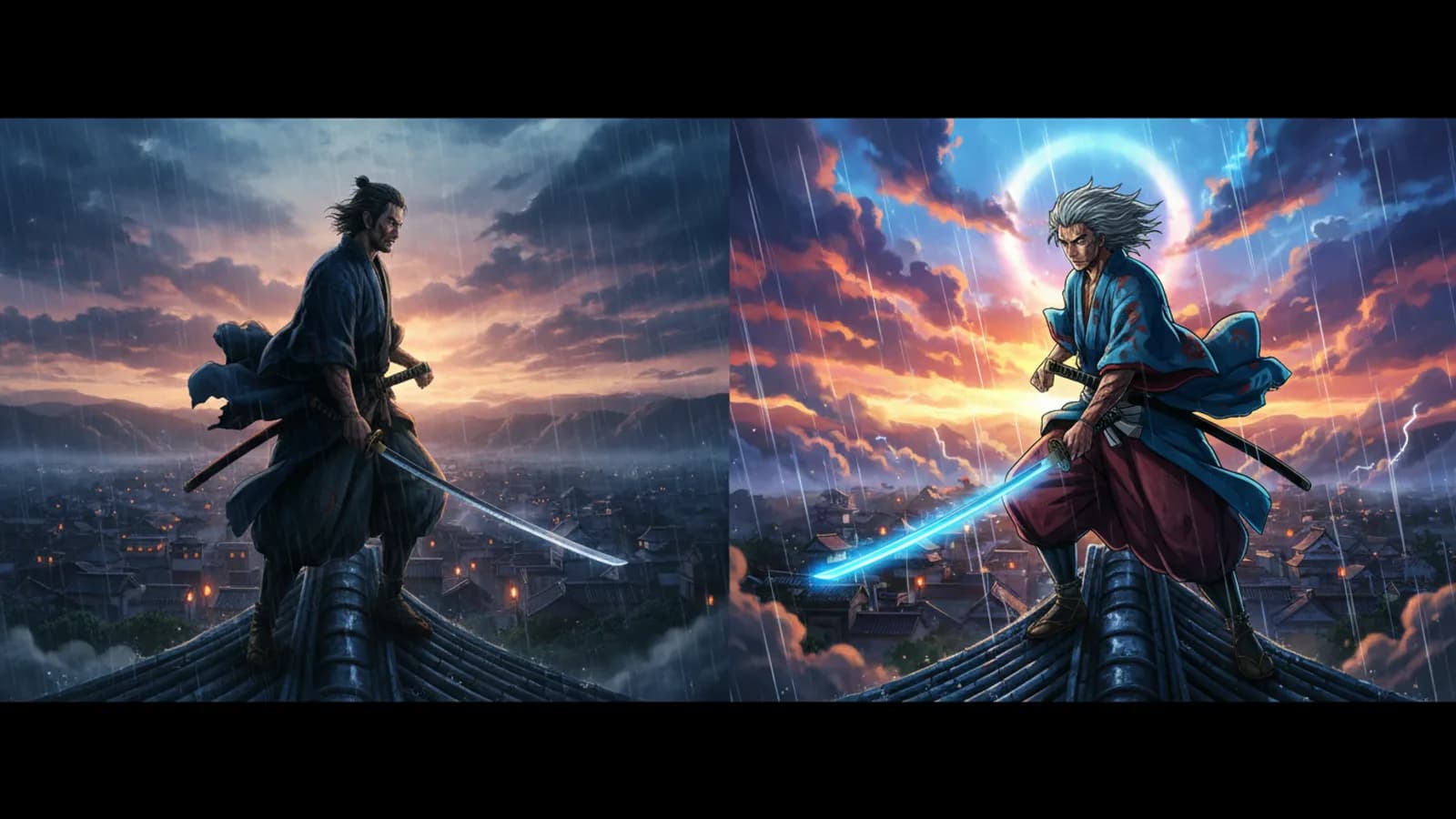
When you begin a new story in Cinely, one of the first and most important choices you make is selecting a visual style. This style is not just a filter; it sets the fundamental look of every generated scene your AI director will create. It defines the texture, the lighting, the mood, and the artistic approach. Whether you’re crafting a gritty noir detective story or a vibrant anime adventure, your chosen Cinely styles will provide the visual through-line that brings coherence to your project. Think of it as choosing the type of film stock and directing style for your entire film. It’s a foundational creative decision that directly shapes what your audience sees and feels, making your story come alive with a specific and intentional aesthetic. Your choice here will influence the color palettes, character design, and even the emotional weight of each shot.
What Is a Cinely Visual Style?
A Cinely style is a comprehensive visual preset that governs the artistic rendering of your entire movie. When you pick a style at the start of your story, it applies to every subsequent scene you generate for that project. This ensures that your characters, environments, and actions maintain a consistent look. This consistency is crucial. Without it, your movie could feel disjointed, with scenes that look like they were pulled from different films altogether. The style locks in parameters for how light falls, how lines are drawn (or softened), and how textures from fabrics to cityscapes are interpreted by the AI. For example, selecting a "Cinematic Realism" style will steer the AI toward creating scenes with dramatic, movie-like lighting and detailed, lifelike textures. Choosing an anime style AI preset, on the other hand, will guide the generation toward vibrant colors, expressive character features, and backgrounds that echo the aesthetics of animated series. The style is the unifying language of your film’s visuals.
Why Consistency in Style Matters for Series
Cinely is built for serial storytelling, allowing you to build episodic content over time. The single most important tool for making a multi-part series feel like a cohesive film is maintaining one consistent visual style from the first scene to the last. Keeping one style across scenes builds a recognizable world for your audience. If Episode 1 of your sci-fi saga has a sleek, futuristic "Cyberpunk" aesthetic with neon glows and rain-slicked streets, switching to a painterly "Fantasy" style for Episode 2 would break the viewer’s immersion completely. They’d feel like they’re watching a different show. Consistency in Cinely styles creates a professional, intentional viewing experience. It tells your audience that this is one continuous narrative, crafted with care. This is what transforms a collection of individual AI clips into a true series. To start building your own, you can begin a new project on the /create page and commit to a style from the outset.
Exploring Different Style Categories
Cinely offers a range of styles to suit different genres and creative visions. While the specific library evolves, you can generally think of them in broader categories. For a classic, dramatic film look, you might lean toward cinematic styles that emulate the depth and lighting of live-action movies. For stories that thrive on exaggerated emotion and dynamic action, an anime style AI option would be a perfect fit, generating characters with large, expressive eyes and vivid, often surreal backgrounds. Other styles might offer a painterly quality, a comic-book panel feel, or a retro aesthetic. The best way to understand what each style can do is to see it in action. Head to the /watch page and browse creator series. Notice how different genres tend to pair with specific styles—a horror story often uses a darker, grittier visual tone, while a romance might use a softer, more luminous look. You can also explore curated genre pages like /explore/fantasy or /explore/sci_fi to see how creators apply styles within those themes.
How to Access and Use Premium Styles
Cinely provides a robust set of default styles to get you started. However, a Premium subscription unlocks the full creative palette, including all premium styles. These premium options often represent more specialized, high-fidelity, or artistically distinct visual treatments. They might include hyper-realistic renders, unique artistic movements (like impressionism or steampunk), or highly sought-after genre-specific looks. If you’re serious about developing a unique visual brand for your series or want access to the most cutting-edge aesthetic tools, upgrading is the path. Premium styles give you more control to differentiate your content and realize a very specific vision. You can learn more about the additional features and unlock the complete style library by visiting the /premium page.
Choosing the Right Style for Your Story
Your story’s genre and tone should guide your style choice. It’s a decision that merges logic with instinct. Ask yourself: What is the emotional core of my story? Is it a tense, shadowy mystery? A stylized noir or gritty realism might work best. Is it an epic fantasy quest? A painterly or cinematic fantasy style could capture the scale and wonder. For a lighthearted comedy or slice-of-life tale, a brighter, cleaner, or even animated style might feel appropriate. Don’t be afraid to experiment. Sometimes, an unexpected pairing creates magic—a serious drama in an anime style can add a layer of symbolic expressionism. Before you commit to a long series, consider generating a few test scenes in different styles with your core characters and settings. See which one feels right. Which style best amplifies the mood you’re trying to create? Remember, this visual framework will be with you for the entire journey of that story, so choose one that inspires you and faithfully serves your narrative. All your projects and their chosen styles are managed from your /studio dashboard.
Moving Forward with Your Visual Vision
Understanding Cinely styles is the first step in becoming a deliberate visual storyteller. This choice moves you from simply generating scenes to directing them with a clear artistic intent. It’s the difference between making a home movie and crafting a film with a point of view. Your selected style works silently in the background of every prompt you write, interpreting your words through its unique lens. As you grow more familiar with how each style interprets different prompts—how it renders a "rainy night" or a "joyful smile"—you’ll write more effectively for it. You’ll learn to craft prompts that play to the style’s strengths. So start your next story with intention. Pick a style that excites you, one that feels like the natural skin for your story’s world, and let it shape every frame.
- Can I change the style after I start a Cinely story?
- No. The style is locked in when you begin a new story to ensure complete visual consistency across all scenes. This is essential for making a series feel like a single, cohesive film. If you want a different look, you would need to start a new story project and select the new style from the beginning.
- What is the difference between a free style and a premium style?
- Free styles provide a solid foundation for creating movies in popular aesthetics. Premium styles, unlocked with a subscription, offer more specialized, high-fidelity, or artistically niche visual treatments. They give creators access to a broader and often more advanced palette to achieve a specific, unique look for their series.
- Do Cinely styles affect how characters look?
- Yes, absolutely. The visual style dictates the artistic rendering of everything in the scene, including characters. An anime style will create characters with typical anime features, while a cinematic realism style will aim for lifelike human proportions and textures. The style ensures character appearance remains consistent throughout your story.
Written with AI assistance and edited by the Cinely Team.