
Is Cinely Free? What You Get
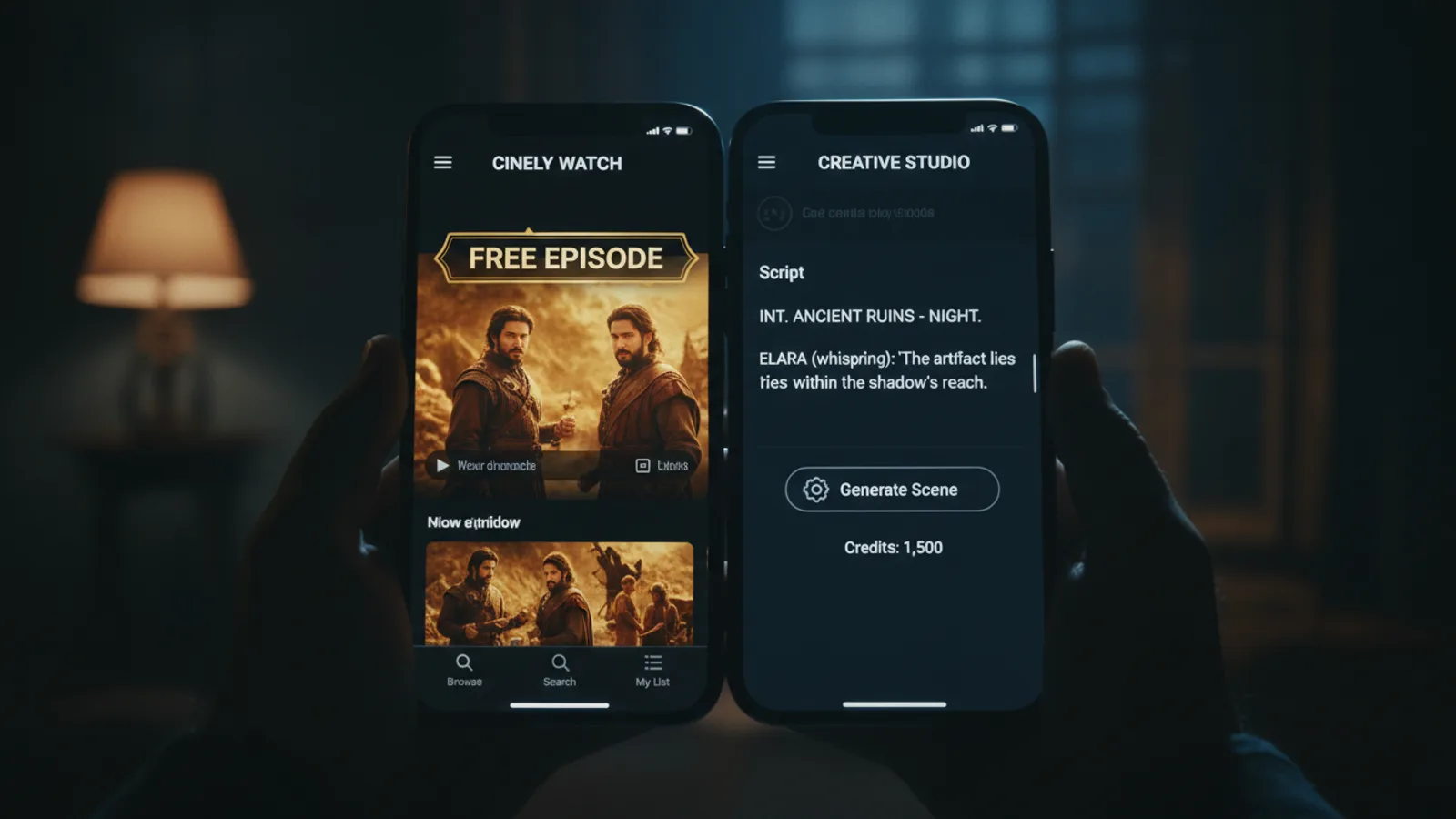
Short answer: yes — Cinely is free to watch and free to start creating on. The longer answer is worth two minutes of your time, because what costs nothing and what spends credits splits along a clear line. Everything about discovering and watching stories is free. Everything that asks an AI model to generate video spends credits. Once you see that boundary, the pricing stops being mysterious and you can decide exactly where, if anywhere, you want to spend.
What costs nothing at all
Watching is genuinely free, and it doesn't hide behind a signup wall. You can open the Watch feed, sort by trending, newest, most viewed, or most liked, search for a series or a creator by name, and start playing — all without an account.
Every published series on Cinely opens with free episodes. That isn't a 30-second teaser; it's the real beginning of the story, and the creator chooses how many episodes stay free. So you can audition a horror series, a romance, or a sci-fi saga and only think about spending once a story has already earned your attention.
Signing in is free too, and it unlocks the parts of the app that need to know who you are: continue watching across devices, a following feed, a saved list, and creator discovery. You can sign in with Google or Apple, or with an email address and a verification code.
What spends credits
Credits (the app calls them credits in the store) are spent on exactly two things:
- Generating scenes. When you turn a written prompt into video on the create page, the generation itself costs credits. A movie is built scene by scene, so cost scales with how much you actually generate — not with a flat upfront fee.
- Unlocking a series' paid episodes. After the free opening episodes, a creator can price the rest. Unlocking spends credits, and 70% of them go to that creator. It's the closest thing to tipping the person whose story you're already invested in.
That's the whole boundary. Browsing, watching free episodes, following creators, saving series, sharing a link with a friend — none of it touches your credit balance. For the wider picture, see how credit pricing works across AI video generators, and why balances drain fast.
What Premium adds
A Premium subscription sits on top of the credit system rather than replacing it. It:
- unlocks every premium visual style, so you're not limited to the free style set,
- tops up your credits regularly, which is the practical reason most frequent creators subscribe,
- gives your generations priority processing, so scenes come back faster,
- and removes ads.
There's a 3-day free trial. Use it the honest way: generate the kind of thing you'd normally make, at your normal pace, and see whether the recurring credits and the extra styles actually match how you use the app. If you generate a scene or two a month, the free tier plus an occasional credit pack is probably the better fit. If you're weighing other tools too, this roundup of free AI video generators that skip the subscription shows what each one actually gives you.
Where you actually pay
This part trips people up, so it's worth stating plainly: purchases currently happen in the mobile app. The web upgrade flow is still being set up, so if you're reading this on a laptop and want credits or Premium, you'll finish that step on the iOS or Android app. Your account, credit balance, and published series are shared across web and mobile, so nothing is siloed — you just buy in one place and use it everywhere.
Creators: free to publish, and you earn
If you're making series rather than watching them, the economics run the other direction. Publishing a series costs nothing. You decide how many episodes stay free and what an unlock costs, and you keep 70% of the credits viewers spend unlocking your episodes.
Cinely Studio — the creator dashboard — is free to use. It's where your public channel lives, where analytics report revenue, views, unlocks, likes, and follower changes over 7, 30, or 90 days, and where earnings convert to a withdrawable balance paid out in USD above a minimum threshold. So the credits you spend generating a series can come back as income if the series finds an audience.
A realistic starting path
If you mostly want to watch: open the Watch feed, sample free opening episodes across three or four genres, and follow the creators you like. You may never need to spend anything. When one story genuinely hooks you, unlocking the next episode is a small, one-off decision — and it pays the person who made it.
If you want to create: start from a genre template, set your character and visual style, and generate a first scene to see how the output feels before committing to a full episode. Because any single scene can be regenerated on its own, your early credits go toward learning what prompts work rather than toward rebuilding whole movies.
Common mistake to avoid: switching visual style midway through a series. Every regenerated scene costs credits, and a style change forces you to redo work you'd already paid for. Lock the look at the start.
The bottom line
Cinely is free to browse, free to watch, free to sign up for, and free to publish on. Credits are spent only when an AI generates video for you or when you choose to unlock a creator's later episodes. Premium is optional and aimed at people generating often, with a 3-day trial so you don't have to guess. Start on the Watch feed or the create page — neither asks for money to find out whether you like it.
- Do I need to pay to watch on Cinely?
- No. Browsing the Watch feed costs nothing, and every published series opens with free episodes. You only spend credits if you choose to unlock a series' later episodes to keep going — and when you do, 70% of those credits go to the creator who made it.
- Do I need an account just to watch?
- No. Watching and sharing stay open to everyone. You need to sign in when you want to create a movie, download a video, or open Creator Studio. You can sign in with Google or Apple, or with an email address and a verification code.
- What does a Premium subscription add?
- Premium unlocks every premium visual style, tops up your credits regularly, processes your scenes with priority so generation is faster, and removes ads. There is a 3-day free trial, so you can see whether your usage justifies it before paying.
- Where do I buy credits or Premium?
- In the mobile app for now. The web upgrade flow is still being set up, so the App Store and Google Play versions are where purchases happen today. Your account, credits, and series are shared across web and mobile either way.
Written with AI assistance and edited by the Cinely Team.