
AI Comic Generator: Turn a Story Into Comic Pages
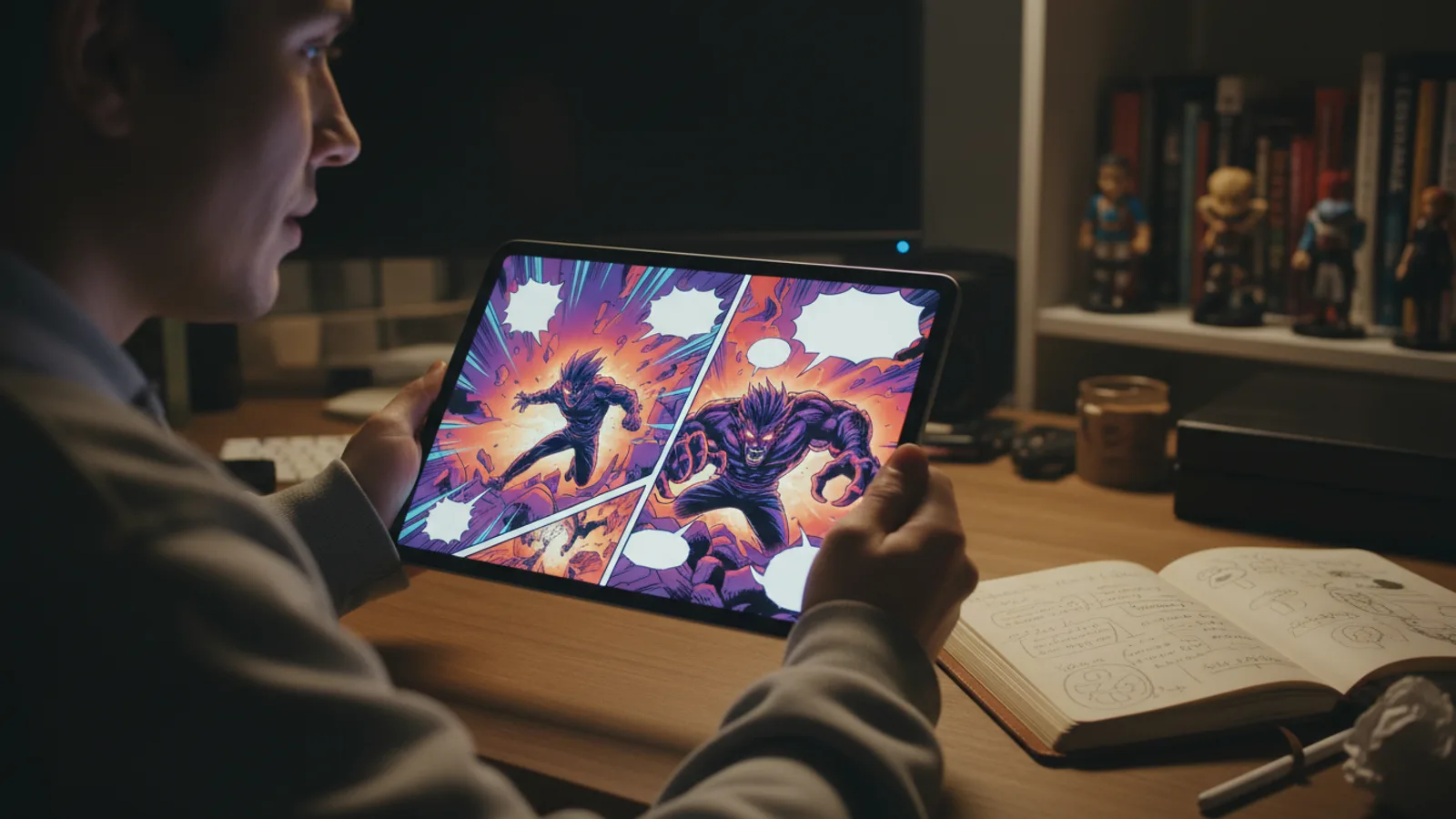
An AI comic generator turns a written story into finished comic pages: you type the idea, it writes a page-by-page script, then draws every page with the panels and the speech bubbles already lettered in. On Cinely's AI comic maker you pick manga, webtoon, classic comic or another style, choose 2 to 18 pages, read the script for free, and only spend credits when you approve it.
That last part matters more than it sounds. Most image tools give you single pictures and leave the layout, the order and the lettering to you. A comic generator has to do the storytelling work too: decide what happens on each page, who says what, and how the panels read from top-left to bottom-right. This guide walks through how that works on Cinely, what it costs, and how to get pages that read like a real comic rather than a pile of illustrations.
What the generator actually makes
A Cinely comic is 2 to 18 pages (in steps of two, six by default) plus a cover. Each page is one picture of five to eight panels in reading order, with the dialogue drawn inside the speech bubbles. It is not a strip of separate images with captions underneath: you get a page you can read like any comic or manga.
You start with text. Up to 2,000 characters: a one-line premise, a plot summary, or a short story you have already written. The writer turns it into a script that lists the setting, the action and the dialogue of every page. That script appears before anything is drawn, so you can change a line, cut a scene or rename a character while it is still free.
Art styles: manga, webtoon, comic and more
The same story reads very differently depending on the art, so the style is chosen up front. There are six:
- Comic: bold inks, flat colour, halftone dots.
- Manga: black and white, screentones, speed lines. This is the one to pick if you came here looking for an AI manga generator.
- Manhwa (webtoon): full colour, soft shading, made for reading on a phone. See how to make a webtoon for the format.
- Manhua: painterly, soft colour.
- Chibi: cute characters with big heads in pastel colours, good for kids' stories.
- Noir: heavy ink and high contrast, made for crime and mystery.
Your characters stay the same when you change style; the inks, colour and shading change around them. If you are unsure, run the same premise as a 2-page test in two styles and keep the one that fits.
Put yourself (or your friends) in it
You can add a photo of up to four people and they become the characters, drawn in the art you picked and kept the same from the first page to the last. It works for a birthday comic starring a friend, a "how we met" manga for a partner, or a bedtime story with your child as the hero. Use clear, front-facing photos, and only of people who have agreed to be in it. For gift ideas, see our custom comic book from your photos guide.
What you cannot use: celebrities, real public figures, or characters someone else owns (no superheroes or anime characters from existing series). Cinely's acceptable use policy also rules out sexual content and graphic gore, and the prompt filter checks your story before anything is charged. If you would rather not use photos at all, leave the cast empty and the writer invents original characters. Our guide to turning a photo into a character has tips on picking a photo that gives a good likeness.
Step by step: from idea to finished comic
- Open the comic maker and type your story or idea. Example: "A shy cat who becomes the city's greatest detective."
- Pick the art style and the number of pages. Six pages is enough for a complete short story with a beginning, a twist and an ending.
- Add characters from photos, or let the writer create them.
- Read the script. Check each page's setting and dialogue. Keep lines short: speech bubbles read best with a sentence or two, and the writer already keeps each page's dialogue brief.
- Approve and watch the pages appear. They are drawn one by one, about a minute each, so a 6-page comic takes around six minutes. You can leave; the comic waits in your library.
- Download single pages as pictures, or the whole comic as one PDF.
How much it costs, and the "free" question
Every page costs 20 credits in every quality tier, and the cover is free:
| Pages | Credits |
|---|---|
| 2 | 40 |
| 6 | 120 |
| 12 | 240 |
| 18 | 360 |
The script preview costs nothing, and you only pay when you approve it. A page that cannot be drawn is refunded. New accounts get welcome credits and every day's check-in adds more, so a short comic is possible without buying anything; when you want longer stories, credit packs and Premium are on the credits page and Premium page.
Tips for pages that read well
- One idea per page. Ask yourself what each page is for (the setup, the discovery, the argument, the reveal) and make sure the script does one of those.
- End pages on a question. A page that ends on a surprised face or an unanswered line makes the reader turn to the next one, the same trick webtoons use.
- Name your characters in the story text. It helps the writer keep who-says-what clear across pages.
- Write in the language of your readers. The bubbles are lettered in the language of your story, or any of Cinely's 17 languages.
- Start short. A 2-page test costs 40 credits and tells you whether the style and the cast work before you commit to 18 pages.
Comic, film or both
A comic is often the fastest way to test a story. If readers like it, the same premise can become a video: Cinely's AI movie maker turns a story into a film made of 8-second scenes, with the same idea of drawing a character once and reusing it everywhere. You can draft the comic first to see which scenes work, then make the film.
Ready to see your story in panels? Type the first line into the AI comic generator and read the script before you spend a single credit.
- How much does an AI comic cost on Cinely?
- Every page is 20 credits, in every quality tier, and the cover is free. A 2-page comic is 40 credits, a 6-page comic 120 and a 12-page comic 240. The script is free to read and edit; credits are only charged when you approve it, and a page that cannot be drawn is refunded.
- Is there a free AI comic generator?
- Reading and editing the script costs nothing. Drawing the pages uses credits, and new accounts get welcome credits plus daily check-in credits, so a short comic can be made without buying anything. Packs and Premium are on the [credits page](/coins) if you want more.
- Can I put myself or my friends in the comic?
- Yes. Add a clear photo of up to four people (yourself, or people who have agreed to it) and they are drawn as the characters, in the art style you picked, the same on every page. Celebrities, real public figures and copyrighted characters are not allowed. You can also let the writer invent the whole cast.
- Which art styles and languages are there?
- Six styles: comic, manga, manhwa (webtoon), manhua, chibi and noir. The dialogue is lettered into the speech bubbles in the language you write the story in, or any of the 17 languages Cinely supports.
- Can I download the comic?
- Yes. Save any page as a picture, or the whole comic with its cover as one PDF to print, send or post. The comic is marked as AI-generated, and free accounts carry a small Cinely mark.
Written with AI assistance and edited by the Cinely Team.