
AI Manga Generator: Turn Your Story Into Manga
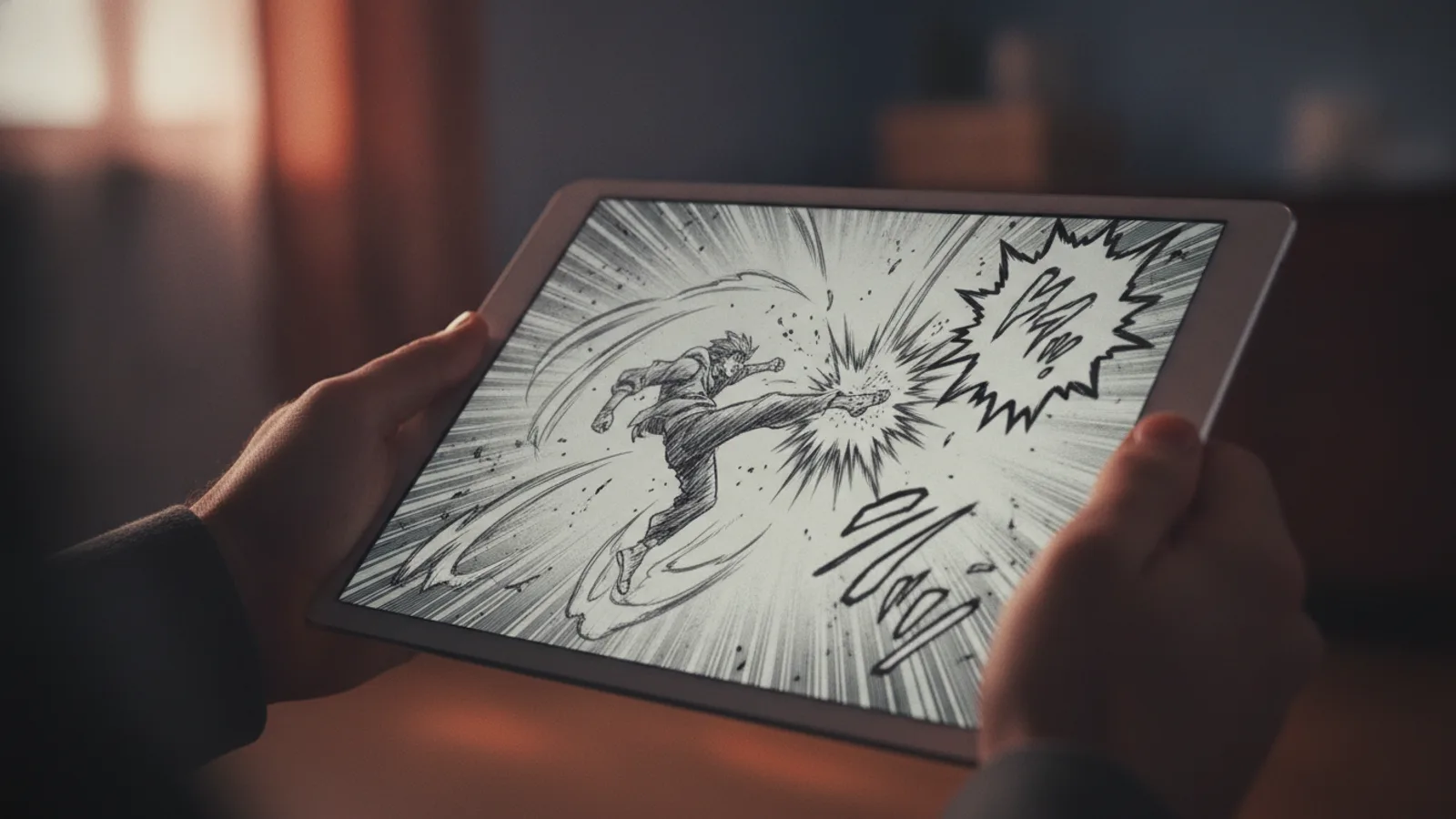
An AI manga generator turns a written story into finished manga pages: you type the idea, it writes a page-by-page script, then draws each page in black and white with screentones, speed lines and the dialogue already lettered in the speech bubbles. On Cinely's AI comic generator you pick the Manga style, choose 2 to 18 pages, read the script for free, and spend credits only when you approve it.
Most "manga AI" tools draw one picture at a time, in a manga look, and leave the rest to you: the panel layout, the order, the lettering, keeping the hero's face the same from page to page. That is the hard part of making a manga. This guide shows what a full generator does instead, what it costs, and how to write a premise that comes out reading like a real chapter.
What you get: pages, not single images
A Cinely manga is 2 to 18 pages (in steps of two, six by default) plus a cover. Each page is one picture with five to eight panels of different sizes, laid out in reading order, and the dialogue sits inside the bubbles. You read it like a printed chapter.
One thing to know if you read Japanese manga: the panels here read top to bottom, left to right, like a Western comic or a translated manga, not right to left.
To keep the pages readable, the writer keeps each page to about 25 words of dialogue and at most three speakers. If a scene needs more talking, give it more pages rather than more words.
The manga style, and the alternatives
The style decides how the whole chapter looks, and it applies to every page. Cinely has six; the first three are the ones people looking for manga usually want:
- Manga: black and white only, clean thin ink, screentone and halftone shading, speed lines on action, expressive close-ups.
- Manhwa: the full-colour webtoon look, with soft gradients and clean digital lines.
- Manhua: painterly full colour and fine ink, with a wuxia flavour when the story allows.
- Chibi: big heads, pastel colours, round and kid-safe.
- Comic: bold inks and saturated flat colour.
- Noir: heavy black-and-white brush ink with one spot colour.
Not sure between Manga and Manhwa? Make the same premise as a 2-page test in both (40 credits each) and keep the one that suits the story. A school romance and a samurai duel can both work in either, but they feel very different. If the colour version wins, our guide on how to make a webtoon with AI picks up from there.
Step by step: your first manga chapter
- Open the AI comic generator and answer "What is the comic about?". One line is enough: "A ramen delivery girl discovers her scooter can travel between worlds." A short synopsis or a scene-by-scene outline (up to 2,000 characters) gives you more control.
- Pick Manga as the art style and the number of pages. Six pages fit a setup, a turn and an ending.
- Choose who is in it. Add photos of up to four people, or leave the cast empty and the writer invents original characters.
- Press "Preview the script" and read it. Each page lists the setting, the action and the dialogue. Change a line, cut a moment or rename a character now: it is still free.
- Approve. Page 1 is drawn first, then the rest together, each appearing as it finishes; a short chapter takes a few minutes. The comic stays in your library if you close the tab.
- Download single pages as pictures, or the whole chapter with its cover as one PDF.
What it costs
Every page costs 20 credits, in every quality tier, and the cover is free. A 6-page chapter is 120 credits, 12 pages are 240 and the full 18 pages are 360. You pay only when you approve the script, and a page that cannot be drawn is refunded.
New accounts start with welcome credits and earn more with the daily check-in, which is enough for a short manga without buying anything. For longer series, credit packs are on the credits page, and Premium adds monthly credits and removes the small "Made with Cinely" badge from downloads.
Writing a premise that reads like manga
Manga pacing is different from a Western comic (our guide on how to make a comic book covers that one), and the script follows what you give it. A few habits help:
- Give the hero a want in the first line. "A shy transfer student who wants to join the kendo club" gives every page something to push against.
- Ask for the big moment. Write the reveal into your story ("on the last page, she pulls off the mask"). The final panel of a page is often the largest, so it is where a reveal lands best.
- Leave room for silence. Quiet panels, a look, rain on a window, are part of the genre. Fewer words per page make the pages feel more like manga.
- Name your characters. Names in the story text keep who-says-what clear across pages.
- End a page on a question. A shocked face or an unfinished line makes the reader turn the page, and later makes them wait for chapter two.
Put yourself in it, with the rules
A photo turns you, a friend or your child into a manga character, drawn with the same face and hair on every page. It is a popular gift: a birthday chapter where your friend is the hero, or a "how we met" story for a partner. Our guide to a personalized comic book from your photos covers that use in detail.
Only use photos of people who agreed to it. Cinely's acceptable use policy rules out celebrities and real public figures, characters from existing anime and manga, sexual content and graphic gore. The prompt filter checks your story before anything is charged.
Manga first, anime later
A short manga is a cheap way to test a story. If it works, the same premise can become an animated film: Cinely's AI movie maker turns a story into a video of 8-second scenes in an anime style, drawing each character once and reusing it everywhere. Our anime-style story guide has tips for that step, and the AI comic generator guide covers the other comic styles.
Have a chapter in your head? Type the first line on the AI comic generator, choose Manga, and read the script before you spend a single credit.
- Is there a free AI manga generator?
- On Cinely, writing and editing the script is free. Drawing the pages costs 20 credits each, and new accounts get welcome credits plus daily check-in credits, so a short manga can be made without buying anything. Free downloads carry a small "Made with Cinely" badge; Premium removes it.
- Is the manga black and white?
- Yes. The Manga style is black and white only, with clean thin ink lines, screentone shading and speed lines on action. If you want a full-colour look, pick Manhwa (the webtoon style) or Manhua instead.
- Can I make a manga with myself as the main character?
- Yes. Add a clear photo of up to four people (yourself, or people who have agreed to it) and they are drawn in manga style, the same on every page. Celebrities, real public figures and characters from existing anime or manga are not allowed.
- Which language is the dialogue in?
- The speech bubbles are lettered in the language you write the story in, or in any of the 17 languages Cinely supports if you pick one.
- How long does it take?
- The script appears first. After you approve it, page 1 is drawn, then the other pages are drawn together and show up as they finish, so a short manga takes a few minutes. You can leave; it waits in your library.
Written with AI assistance and edited by the Cinely Team.