
AI UGC Ads: A Creator Video From One Product Photo
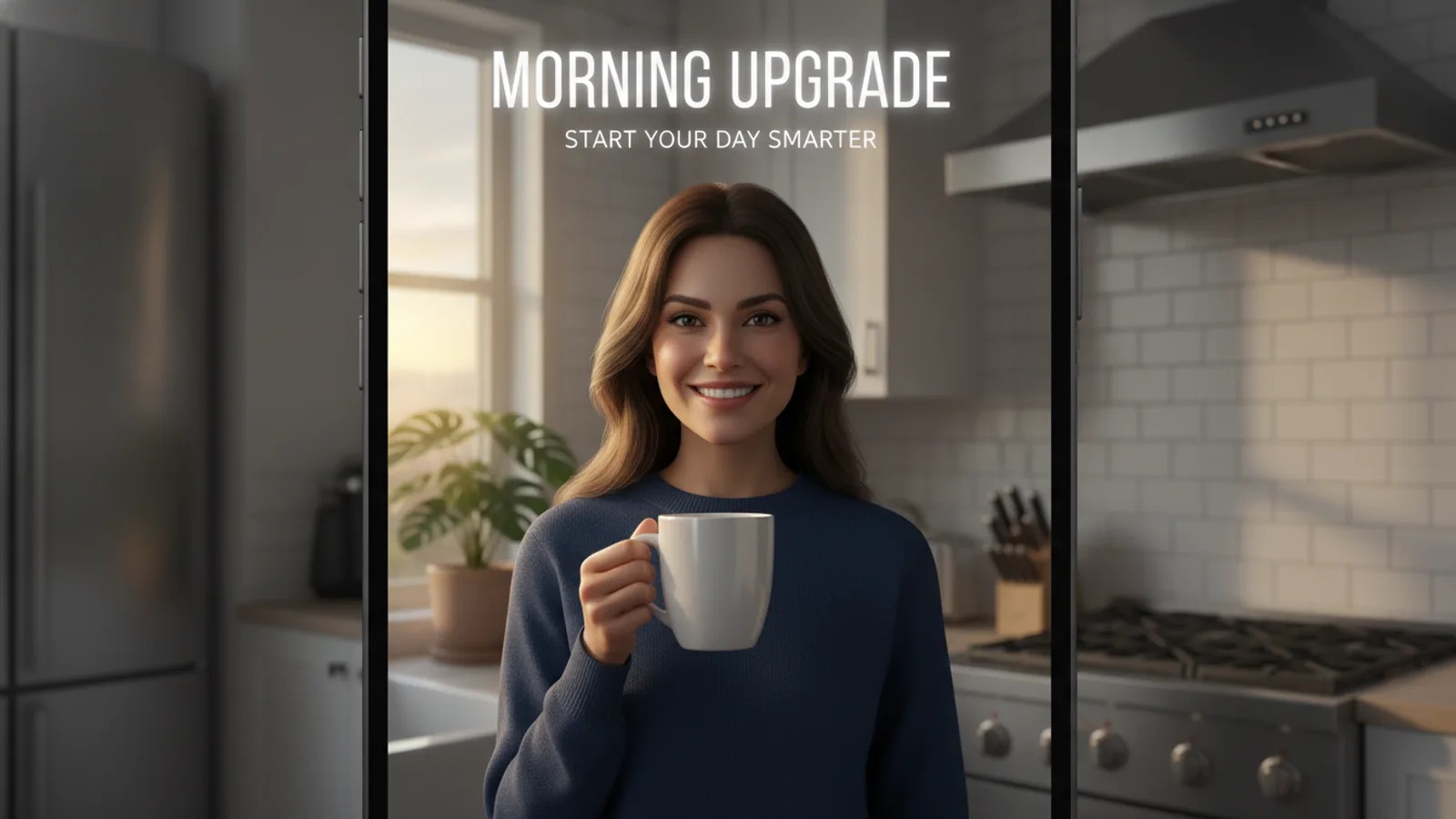
AI UGC is a selfie-style product video, a creator holding your product and talking to the camera, made without hiring a creator: you upload one product photo, pick an AI creator, and get a vertical 15 to 60 second ad. On Cinely's AI UGC video maker, the hook, every spoken line, the captions and the post caption are written for you, the whole script is free to preview, and credits are only spent when you approve.
UGC ads work because they do not look like ads. A person in a kitchen or a car, phone at arm's length, saying "okay, so this is the one I keep reaching for" feels like a recommendation from someone you follow. The catch is cost and speed: finding creators, shipping product, briefing, waiting for takes. An AI UGC generator gives you the format in minutes so you can test hooks and angles before you spend on a shoot or on media.
How it works: product photo in, ad out
- Upload the product. One clear photo on a plain background with the label readable, the product's name and one line on what it does. The photo is the reference image in every clip, so the bottle, box or gadget the creator holds keeps your shape, colours and label.
- Pick a creator. Cinely has its own library of AI creators (women and men, twenties to fifties), each with a voice that fits them, filmed the way phones film: window light, handheld, eyes on the lens.
- Pick an angle, a setting and a length. Angles: honest take, unboxing, problem → solution, 3 reasons, POV, or auto. Settings: bedroom, car, kitchen, bathroom, desk, outdoors, or auto. Length: 15, 30, 45 or 60 seconds, vertical.
- Read the script for free. You see the hook card on the first clip, the line the creator says in each clip, the call to action on the last, and the caption with hashtags to paste under the post. Change any word.
- Approve. The clips are rendered and joined. Download the vertical MP4 with captions and cards burned in, or share the ad's link.
Which angle to choose
Each angle is a proven shape for short-form feeds. Every one opens with a hook in the first three seconds and gets the product into the creator's hand early. For lines to adapt to each angle, see these UGC script templates and hooks.
- Honest take: "I did not expect to like this." A plain opinion, product in hand, no hard sell. A safe default for beauty, food and everyday products.
- Unboxing: the box opens on camera and the first reaction carries the ad. Good for packaging you are proud of and for gifts.
- Problem → solution: starts with the annoyance your customer knows, ends with your product fixing it. Strong for gadgets, cleaning and organising products.
- 3 reasons: three quick points counted on fingers, one per clip. Works when the product has clear, separate benefits.
- POV: "POV: you finally found one that works." Told from the viewer's seat, the way creators talk.
A practical approach: make the same product in two angles at 15 seconds (60 credits each in Standard), run both as organic posts or small ad tests, and only make the 30 or 45-second version of the one that holds attention.
What AI UGC costs on Cinely
An ad is cut from 8-second clips, priced like scenes of a film:
| Length | Clips | Standard | Cinematic |
|---|---|---|---|
| 15 s | 2 | 60 credits | 120 credits |
| 30 s | 4 | 120 credits | 240 credits |
| 45 s | 6 | 180 credits | 360 credits |
| 60 s | 8 | 240 credits | 480 credits |
The preview (creator, full script, hook and call to action) is free. A clip that fails to render is refunded. New accounts get welcome credits and daily check-in credits; packs and Premium are on the credits page and Premium. For more on how credits are counted across Cinely, see AI video generator credits explained.
Languages: one product, many markets
The creator can speak any of Cinely's 17 languages, including Spanish, Portuguese, German, Indonesian, Hindi, Arabic, Japanese and Korean. The captions, the hook card and the post caption follow the language you pick. That makes it cheap to test a product in a new market: same photo, same angle, a different language, and you see which audience responds before you localise anything else.
Getting the product to look right
The product photo does most of the work, so treat it like a pack shot (the UGC video examples by product type show what works for each kind of product):
- Plain background, good light. Busy backgrounds and tiny print are the usual reasons a product drifts between clips.
- Label facing the camera. If the name on the pack matters, make sure it is readable in the photo.
- Write a concrete one-liner. "A reusable bottle that keeps drinks cold all day" gives the script more to work with than "water bottle".
- Check the preview. Look at what the creator says and the hook before approving; any clip can be made again.
Honest AI ads: what the script will and won't say
The AI creator is labelled as an AI creator and never presented as a real customer. The script is written as an introduction or a demonstration, not as "this changed my life" or "I lost 10 kilos": no personal testimonials and no result claims. That keeps the ad within what platforms accept for AI content. When you post or run it, turn on TikTok's or Meta's AI label; as the advertiser, that step is yours. Cinely's acceptable use policy also applies: no celebrities or real people, no copyrighted characters, no sexual content, and the prompt filter runs before anything is charged.
UGC ad or product ad?
If you want a person on camera, use the UGC ad maker. If you would rather have the product itself as the star, with a voice-over and no presenter, the AI ad video maker films a 15 to 60 second ad from a few product photos, vertical or widescreen. You can also run both from the same product photo: the UGC version for TikTok and Reels, the product version for retargeting.
Have a product photo on your phone? Upload it to the AI UGC ad generator, read the script for free, and approve only the ad you would actually post.
- What is AI UGC?
- AI UGC is a user-generated-content style video, a person talking to their phone camera about a product, where the person is an AI creator instead of a hired one. On Cinely you upload a product photo, pick an AI creator and an angle, and get a vertical 15 to 60 second ad with the script, captions and post caption written for you.
- How much does an AI UGC ad cost?
- It is priced by 8-second clips: 30 credits a clip in Standard, 60 in Cinematic. In Standard a 15-second ad is 60 credits, 30 seconds 120, 45 seconds 180 and 60 seconds 240. The script preview is free; credits are only spent when you approve, and a clip that fails is refunded.
- Can I use my own face or an influencer's face?
- Not today. The presenter comes from Cinely's own library of AI creators, women and men from their twenties to their fifties, each with a voice. Uploading your own face, someone else's photo or a celebrity is not supported.
- Can I edit the script?
- Yes. The preview shows the hook card, every line the creator says, the call to action and the post caption with hashtags. You read every word and can change any of it before you approve.
- Do I need to label the ad as AI?
- On most platforms, yes: TikTok and Meta ask for AI-generated content to be labelled. The creator is an AI creator, not a customer, and the script is written as an introduction or demo, never as a personal testimonial or a result claim. Turn on the platform's AI label when you post or run it.
Written with AI assistance and edited by the Cinely Team.