
A Guide to Making Music Videos with AI
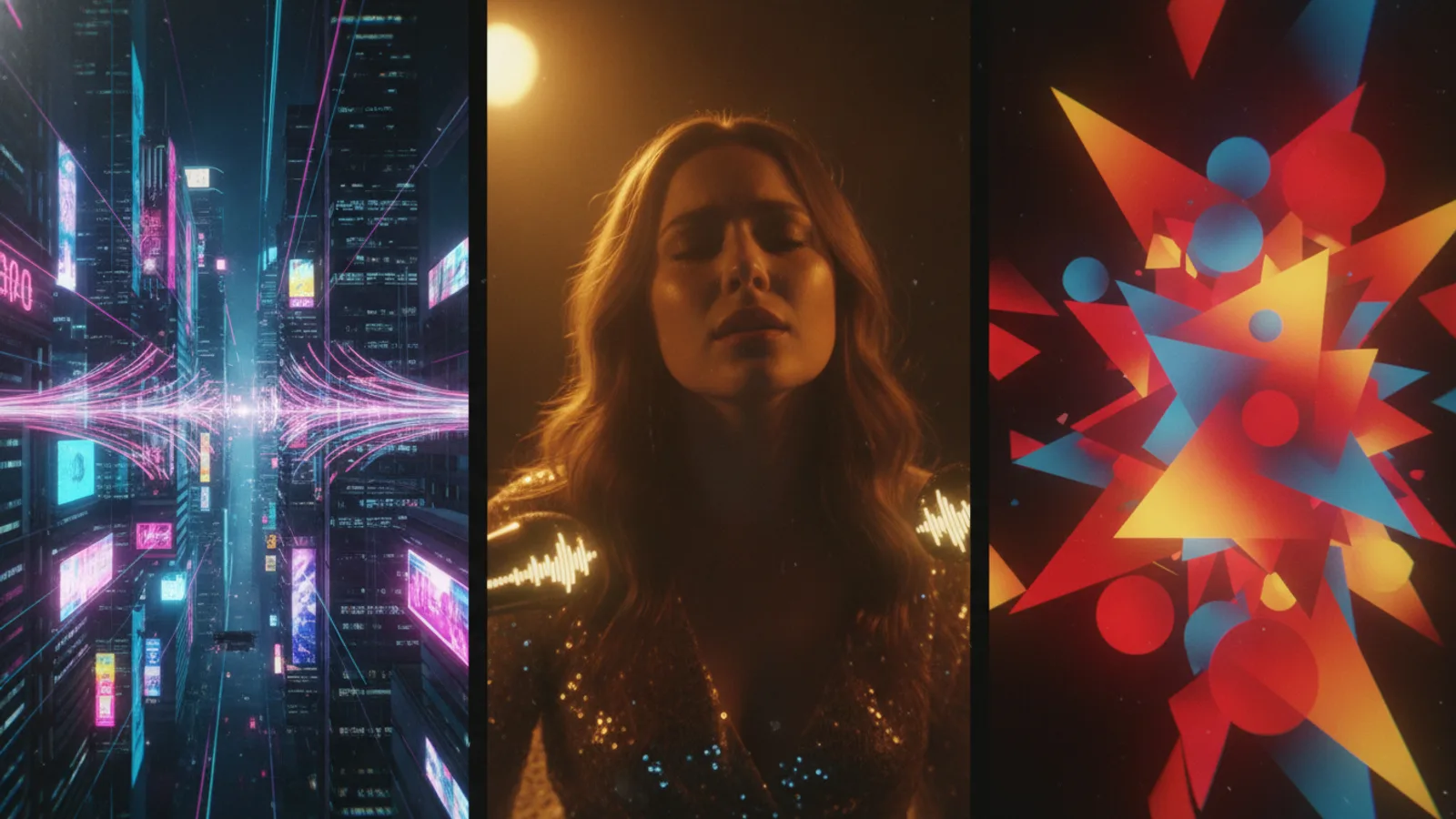
Creating an AI music video is a direct way to visualize your music. The process involves syncing visual sequences to the structure of your song—verse, chorus, bridge. With tools like Cinely, you build a video scene by scene, which naturally aligns with the sections of your track. You start with your audio, then craft the visual story that amplifies it. It’s a shift from abstract ideas to concrete sequences. You’ll need your song file, a clear vision for the mood, and some patience for iteration. You can start creating your first project on Cinely today to put these steps into practice.
Understanding the Scene-by-Scene Workflow
The core of making an AI music video on a platform like Cinely is the scene-by-scene workflow. This isn't about generating one long, uncontrollable clip. Instead, you build the video in discrete segments, each corresponding to a part of your song. Think of your song's timeline: a 30-second intro, a minute-long verse, an explosive chorus. You create a unique scene prompt for each of those sections. This method gives you precise control. The chorus can have rapid cuts and intense imagery, while the verse can be slower, more narrative. It mirrors how a director would storyboard a traditional video, but you're using text prompts to guide the AI. This modular approach also lets you fix or replace a single weak scene without regenerating the entire video, saving significant time.
Preparing Your Song and Creative Vision
Before you generate a single frame, preparation is key. First, have your final mix ready as an audio file. You’ll upload this to serve as the backbone. Next, listen to your song critically and map its structure. Write down the timestamps: where does the intro end? When does the first chorus hit? This map becomes your scene list. For each section, decide on the visual theme. Is the verse a lonely drive at night? Is the chorus a flashback to a vibrant concert? Jot down keywords—locations, colors, actions, emotions. Also, decide on your format: portrait for social media like TikTok and Instagram Reels, or landscape for YouTube. On Cinely, you pick portrait or landscape before generating, so this choice is fundamental and can't be changed mid-project. Your prompts don't need to be literary masterpieces, but they should be specific. “A person walking in the rain” is okay. “A silhouetted figure walking under neon streetlights in a cyberpunk city, heavy synthwave rain glossing the pavement” gives the AI a much clearer direction. Create a simple text document with your timestamp map and draft prompts before you even log in.
Writing Effective Prompts for Music Visuals
Your text prompts are the instructions for the AI. For music videos, link the prompt to the audio's feeling. Describe what is happening visually, but also imply the rhythm. For a fast-paced electronic drop, you might prompt: “Glitch-art explosion of geometric shapes fracturing in time with the beat, electric blue and black, hyper-fast cuts.” For a melancholic acoustic bridge: “Slow-motion shot of dandelion seeds catching a breeze in golden hour light, subtle film grain.” Use genre cues. If you made a synthwave track, prompt for retro-futuristic visuals, pink and cyan hues, and slow panning shots of classic cars. For a hip-hop track, you might opt for gritty, cinematic street scenes with dramatic lighting. Don’t be afraid to reference camera work—“close-up on eyes,” “wide drone shot,” “Dutch angle”—to add cinematic variety. The more vivid and concrete your language, the more coherent and surprising the results. You’re not just describing an image; you’re directing a micro-scene.
Common Prompt Mistakes to Avoid:
- Being too vague: “Cool landscape” will give random, inconsistent results.
- Overloading a single prompt: Asking for ten different actions in one scene often confuses the AI. Focus on one key action or mood.
- Forgetting the format: If you’re creating a vertical video, describe compositions that work in a tall frame (e.g., “full-body shot,” “tall building”).
- Ignoring consistency: If you want a recurring character or color palette, you must mention it in every relevant prompt.
Assembling and Refining Your Video
Once you’ve generated your individual scenes, you move to assembly. The platform will stitch them together in order on your timeline, synced to your audio. Now you review. Does the visual transition from the verse to the chorus feel impactful? You might need to go back and adjust a prompt. Perhaps the chorus scene needs more kinetic energy. You regenerate just that scene. This iterative process is where the video truly takes shape. You can adjust the timing, ensuring a visual hit aligns with a snare drum or a vocal cue. Some creators generate a few options for key scenes and choose the best fit. The goal is a seamless flow where the visuals feel like a natural extension of the music, not just random clips placed over it. After you’re satisfied, you can finalize and export your AI music video, ready to share with your audience on your chosen platform.
Advanced Techniques and Creative Experimentation
After mastering the basics, experiment. Try using a consistent character or style across scenes to build a narrative. For instance, prompt for “the same astronaut in a white suit” in every scene to create a protagonist. Play with aspect ratios; a vertical video can offer an intimate, phone-native experience. Consider the pacing: a series of quick, half-second cuts for a high-energy segment can be exhilarating. Alternatively, a single, lingering 10-second generated shot for an intro can build atmosphere. You can also use the AI to create symbolic or abstract visuals that represent the song's theme rather than literal actions. Think swirling paint for emotions, or data streams for a song about connection. The Cinely Studio offers more control for these refined projects. Remember, the AI is a collaborator. Your creative direction—the prompts, the structure, the edits—steers it. The most compelling AI music videos come from a clear vision and a willingness to iterate until every second feels intentional.
Sharing and Next Steps
Once your video is exported, you have a powerful piece of content. Upload it to platforms like YouTube, Instagram, or TikTok. Use relevant hashtags like #AImusicvideo to connect with a community of creators. Analyze which visuals resonate with your audience. You can also explore other creators' work for inspiration on the Cinely Watch page, seeing how they solve visual problems. If you want more room to experiment across a longer project, Cinely Premium unlocks every premium visual style, tops up your credits regularly, processes your scenes with priority for faster generation, and removes ads. Your first AI music video is a learning project. Each one you make will improve as you refine your prompting language and structural timing. The goal is to create a visual companion that makes your song a complete audiovisual experience.
- Do I need video editing experience to make an AI music video?
- No, you don't need traditional editing skills. The process is based on writing text prompts and arranging scenes on a timeline that syncs to your audio. The AI generates the visuals based on your descriptions. It’s more akin to directing and scriptwriting than operating complex editing software. The learning curve is about crafting better prompts, not mastering technical tools.
- Can I use any song to make an AI music video?
- You should only use audio you have the rights to, such as your original music or tracks with explicit permission. Copyrighted music you do not own can lead to your video being blocked on platforms. The technical process works with any uploaded audio file, but legal clearance is your responsibility. It’s best practice to start with your own creations.
- How long does it take to create an AI music video?
- The time varies based on the song length and your process. A 3-minute song might have 8-10 scenes. Writing prompts, generating scenes, and reviewing the sequence could take a few hours for your first draft. The iterative process of refining scenes adds time. It’s faster than a live-action shoot but requires thoughtful input and review to achieve a polished result.
- What's the biggest mistake beginners make?
- The most common mistake is writing prompts that are too brief or generic, like "a happy scene." This leaves too much to the AI's interpretation, leading to inconsistent or off-tone visuals. Invest time in your pre-production: map your song, write detailed prompts for each section describing concrete imagery, mood, and camera angles. Specificity is your greatest tool for control.
Written with AI assistance and edited by the Cinely Team.