
Instagram Reels Ads: How to Make the Video
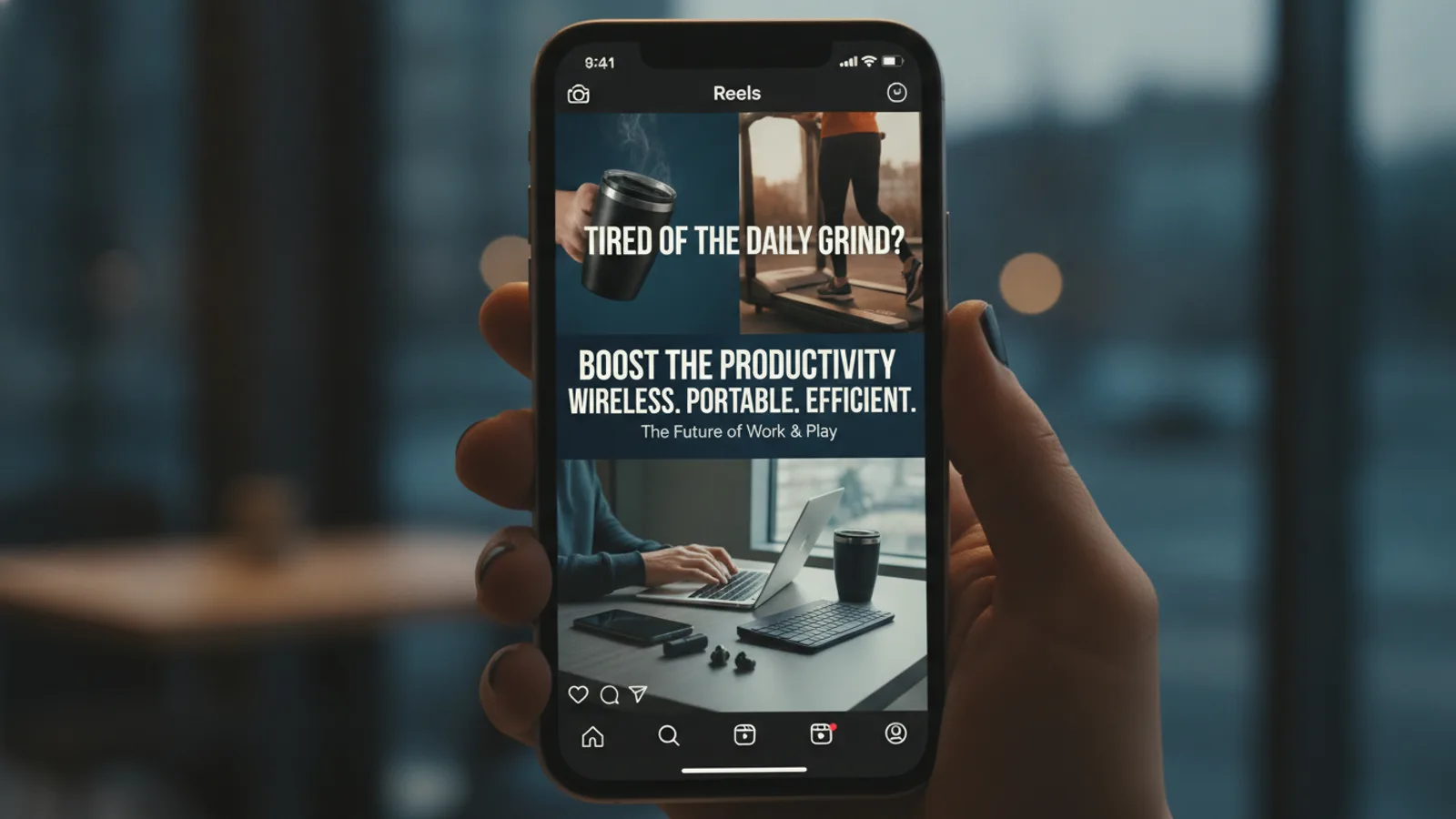
The video for an Instagram Reels ad should be vertical 9:16, start with a hook in the first seconds, carry its message in on-screen text for people watching muted, and keep that text away from the top and bottom edges where the app draws its own buttons. This guide covers the video only: frame, script, a clip-by-clip example and how to make it, not targeting or budgets.
You can make the video with Cinely's AI ad video maker, which builds a 15 to 60 second portrait ad from your product photos, a line about what makes the product good and your call to action. The same file works as a Facebook video ad.
The frame: vertical 9:16
Reels and Stories fill the whole phone screen, so the frame is portrait 9:16. A horizontal video in that space plays as a strip with empty bars, or gets cropped, and looks like an ad made for somewhere else.
- Reels and Stories: portrait 9:16.
- Facebook placements that play widescreen (for example in-stream video): landscape 16:9.
On the AI ad video maker the frame is one setting, portrait or landscape. It has no square or 4:5 option, so for Reels pick portrait.
Keep the important parts in the middle
On a Reels ad the app puts its own layer on top of your video: the account name and the caption near the bottom, the like, comment and share buttons down the right side, the call-to-action button, and controls at the top. Anything you place there can be covered.
- Keep the hook, the benefit lines and the product in the middle of the frame.
- Do not put your price or your logo in the bottom corners.
- Check the finished file on your own phone, full screen, before you upload it.
The first seconds decide everything
People scroll Reels fast. The first clip has one job: make the right viewer stop.
- A question about their problem: "Still ice cold at 5 pm?"
- A claim they want to check: "The bottle that never leaks"
- Show the product right away. Do not open on a logo or a slow fade.
On Cinely the first clip always carries the hook card, about six words, written from your product description. You read it on the preview and change the description if it does not stop you.
Words on screen for muted viewers
Many people watch Reels with the sound off. If the message lives only in the voice-over, they miss it.
- Put the hook, each benefit and the call to action on screen as text.
- One idea per card, short enough to read at a glance: about eight words for a benefit.
- Let the voice-over say a little more than the card, not a different message.
Cinely burns the cards into the video: the hook on the first clip, a benefit on each middle clip, the call to action on the last. The narrator says at most about 20 words over each 8-second clip.
One call to action that matches the button
A Reels ad has a button (Shop now, Learn more, Sign up and so on) that you pick in Ads Manager. Make the last card say the same thing with a reason: "Shop now, free shipping this week". Two different asks, one on the button and another in the video, split the viewer's attention.
On Cinely you type the call to action yourself, up to 40 characters, and it is shown on the last clip exactly as written.
Two Reels ad scripts you can copy
A made-up insulated water bottle, so you can see the shape. Change every line to what your product really does.
15 seconds (2 clips)
| Clip | Card on screen | Voice-over |
|---|---|---|
| 1 (hook) | Still ice cold at 5 pm? | Your water shouldn't be warm by lunch. |
| 2 (call to action) | Shop now, free shipping | Get the Frost bottle today, free shipping this week. |
30 seconds (4 clips)
| Clip | Card on screen | Voice-over |
|---|---|---|
| 1 (hook) | Still ice cold at 5 pm? | Your water shouldn't be warm by lunch. |
| 2 (benefit) | Cold for hours, never leaks | Double walls keep it cold, and the lid seals tight in your bag. |
| 3 (benefit) | Fits every cup holder | Slim enough for the car, the bike and the gym. |
| 4 (call to action) | Shop now, free shipping | Get the Frost bottle today, free shipping this week. |
You do not have to write these lines. Cinely writes the hook, the benefits and the voice-over from what you type; you approve them on the preview. More hooks in this style are in UGC script templates and hooks.
How to make the Reels ad video on Cinely
- Open the AI ad video maker on the web or in the Cinely app on iOS or Android (one account).
- Product photos (optional, up to 3). The ad is drawn from the first one: the product on a plain background, label readable.
- Product name (required, up to 80 characters), What makes it good? (optional, up to 600) and Call to action (optional, up to 40).
- Presenter (optional): up to two people from a photo each, the same face in every clip. Yourself or people who agreed, never a celebrity.
- Narrator voice: Auto, a voice from the catalog, or your own voice.
- Quality and style: Standard, or Cinematic if you have Premium. Choose a visual style.
- Length and frame: 15 or 30 seconds to start, portrait for Reels.
- Preview ad. Read every card and voice-over line. The preview is free.
- Approve. Credits are spent now and the clips are made.
| Length | Clips | Standard | Cinematic (Premium) |
|---|---|---|---|
| 15 s | 2 | 60 credits | 120 credits |
| 30 s | 4 | 120 credits | 240 credits |
| 45 s | 6 | 180 credits | 360 credits |
| 60 s | 8 | 240 credits | 480 credits |
Downloads from a free account carry a small "Made with Cinely" badge; Premium removes it, which matters for a paid ad. More photo tips are in the AI product video generator guide.
Putting it in Ads Manager
Download the finished video, then in Meta Ads Manager create the ad, upload the file as the ad's video, write the primary text and pick the button that matches your last card. Audience, budget and placements are set there, not in Cinely. Preview the ad on a phone before you publish it.
Test more than one video
One ad is a guess. Make two or three versions that change one thing, the hook, the first benefit or the length, and run them against the same audience. The ideas in 12 commercial ideas for a small business are a quick source of different hooks.
When a creator-style video is the better Reels ad
A product ad with clean text cards looks like an ad. Reels is also full of people talking to their phone camera. If that is the feel you want, an AI creator holding your product and talking to the camera, try the UGC video maker and read how to make an ad look phone-shot.
Honest limits
Cinely makes the video, not the campaign: it does not post, target or pay for the ad, and it says nothing about how an ad will perform. It makes portrait 9:16 or landscape 16:9, not square. Read every claim on the preview; the narrator will say it out loud. For the planning side of any ad, see how to make a commercial with AI, then open the AI ad video maker and preview your Reels ad for free.
- What format should an Instagram Reels ad video be?
- Vertical 9:16, the full-screen phone frame that Reels and Stories use. Keep the text and the product away from the top and bottom edges, where the app shows the account name, the caption and the buttons. A horizontal 16:9 video suits Facebook placements that play widescreen, not Reels.
- How long should a Reels ad be?
- Short. A 15-second ad (a hook and a call to action) or a 30-second ad (a hook, two benefits, a call to action) is a sensible first test. On Cinely's AI ad video maker those are 2 or 4 clips of 8 seconds; 45 and 60 seconds are there too when you have more to say.
- Does Cinely post or run the ad on Instagram for me?
- No. Cinely makes the video file. You download it and upload it in Meta Ads Manager when you create the ad, where you choose the audience, the budget and the placements. Downloads from a free account carry a small "Made with Cinely" badge; Premium removes it.
- Can I make a square or 4:5 feed ad on Cinely?
- No. The AI ad video maker makes portrait 9:16 or landscape 16:9 only. Portrait is the one to pick for Reels and Stories.
Written with AI assistance and edited by the Cinely Team.