
UGC-Style Video: How to Make an Ad Look Phone-Shot
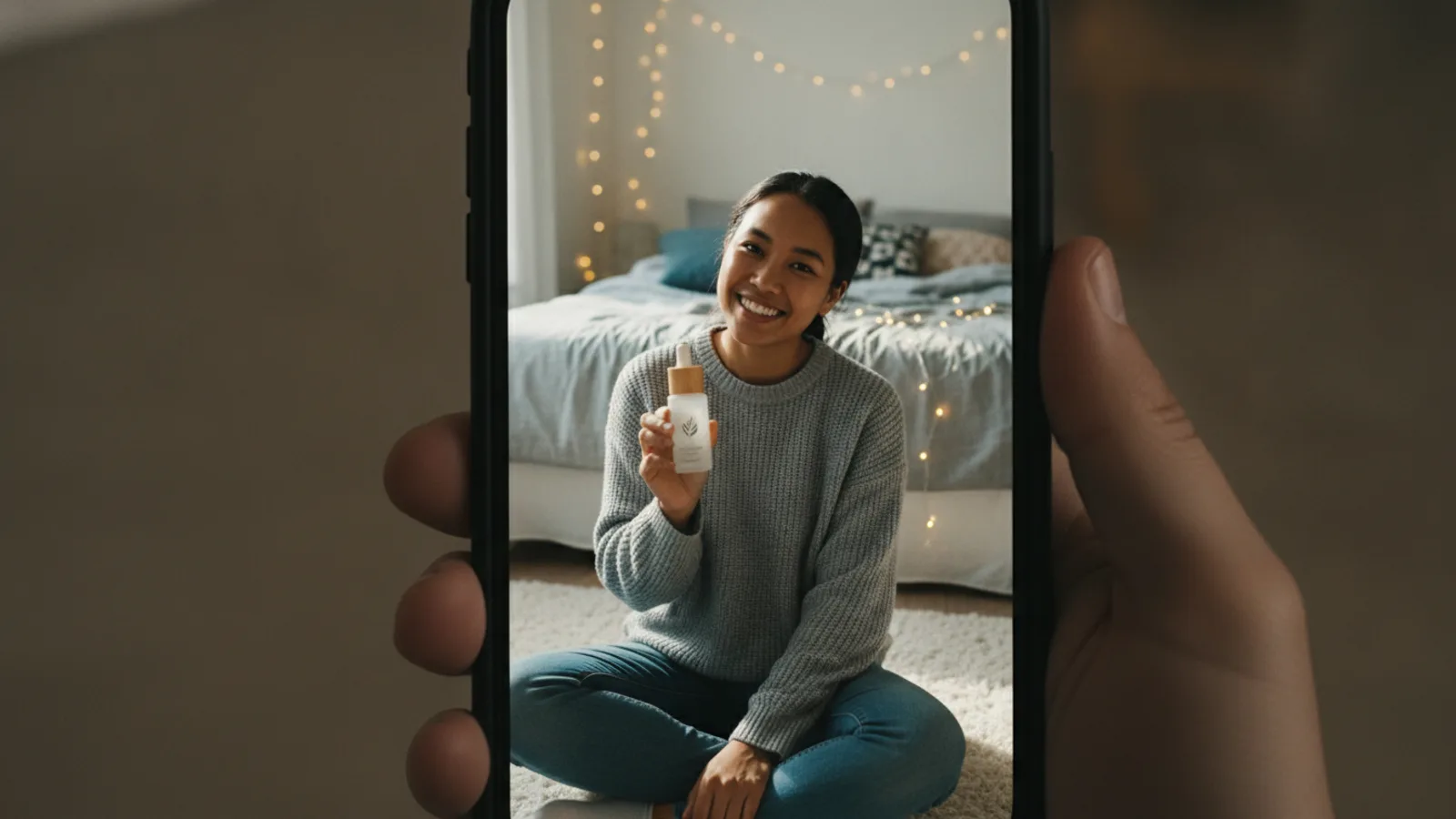
A UGC-style video is an ad that looks like a customer filmed it on their phone: one person, at arm's length, holding the product and talking to the lens in an ordinary room, in one handheld take, vertical, with captions. The style comes from a short list of choices about framing, light, room, voice and text, and once you know them you can brief a creator or an AI UGC video ad maker to get the look right the first time.
This guide is about the look and the sound. For what UGC ads are and where they come from, read What are UGC ads?; for what the creator says, see UGC script templates and hooks.
The seven traits of the UGC style
1. Selfie framing
The camera is the phone, held at arm's length or propped on a shelf, at eye level or slightly above. The face fills the top half of a vertical 9:16 frame, the product comes up into the lower half. No wide shots, no slow dolly moves, no cutaways to a model in a studio.
2. One handheld take
The picture moves a little, the way a hand does. Each shot reads as one continuous take: the creator doesn't walk out of frame and come back in a different place. Cuts happen between short shots, not inside them.
3. Room light, not studio light
Window light from the side, a bathroom mirror light, a desk lamp, a car on a grey day. Slight shadows on one side of the face are fine; perfectly even light with no shadows is what a studio looks like.
4. A real room that stays the same
A bedroom, a kitchen counter, a desk, a bathroom, the front seat of a car, outdoors. Put the product where it is used: skincare at the mirror, a gadget in the kitchen, a snack in the car. Then keep it: the same room, the same clothes, the same hair through the whole video, or it stops looking like one take and starts looking like a shoot.
5. Eye contact and casual talk
The creator looks into the lens and talks in the first person, like a voice note to a friend: short sentences, "I", "honestly", "okay so". No voice-over from someone off camera, no announcer tone. Small natural gestures help: holding the product up, turning it, pointing at a detail, a shrug, a laugh.
6. The product in the hand, label to the lens
The product is held, not floating. By the second shot the label faces the camera long enough to read, and the creator uses it: opens it, pours it, presses the button. That is the "show" in show-don't-tell.
7. Text added on top, kept short
The words on screen are added in the edit, not part of the scene: a hook card of a few words at the start, captions of what is said, a short call-to-action card at the end ("Link in bio"). Keep cards to eight words or fewer and away from the bottom edge, where the platform's own buttons and caption sit.
What gives a UGC-style video away as an ad
- Studio lighting and a seamless background.
- A voice-over or a jingle instead of the person talking.
- A loud music bed under the voice.
- Logo stings and branded end cards at the start.
- Text baked into the scene (posters, signs, a big slogan on the wall).
- Changing rooms or outfits between shots.
- Scripted superlatives: "the best", "number one", "life-changing", "guaranteed". Viewers hear the copywriter.
- Claims the camera can't show, like "my skin cleared up in a week". They read as fake and platforms restrict them.
A UGC-style checklist
Before you post, check each shot:
- Vertical 9:16, face in the top half, framed like a selfie.
- Handheld, one continuous take per shot.
- Room or window light; the same room in every shot.
- The same clothes and hair throughout.
- The creator looks at the lens and talks in the first person.
- The product is in the hand by the second shot, label readable.
- Hook card and CTA card of eight words or fewer; captions on.
- No voice-over, no logo sting, no music drowning the voice.
- Every claim is in your brief or visible on screen.
Getting the UGC style from an AI creator
Cinely's AI UGC video ad maker is built around these traits, so you choose the content and the look follows:
- Framing and take. Every clip is generated as a selfie-framed, continuous handheld shot. Only the gesture changes from clip to clip (holding the product up, turning it, pointing, leaning in, a laugh, a shrug).
- The same person and room. The creator's look, clothes and the place are written into every clip, so one face, one voice and one room carry the whole video. You pick the creator from Cinely's library or "Let Cinely pick", and the place under "Where it is filmed": bedroom, car, kitchen, bathroom, desk, outdoors or auto. Your own face, a real person or a celebrity isn't supported.
- The product. Up to three product photos; the first one is shown in every clip, held by the creator.
- The voice. Each 8-second clip has one or two short first-person lines (at most 18 words), casual, and the first clip is the hook.
- The text. Nothing is written into the picture except the product's own label; the hook card, captions and call-to-action card are added on top afterwards. Cinely also writes a post caption with hashtags.
- The format. Always vertical 9:16 with captions, 15, 30, 45 or 60 seconds (2, 4, 6 or 8 clips of 8 seconds), in any of 17 languages, with the angle you choose: honest take, unboxing, problem → solution, 3 reasons, POV or auto.
You see the script in a free preview and spend credits only when you approve: 30 per clip in Standard, 60 in Cinematic (Cinematic needs Premium), so a 30-second video is 120 credits in Standard. A clip that fails is refunded; credit packs and Premium are on the credits page. The creator only says what your brief states or what is visible, never a personal result, a testimonial or a health or money claim, so the "scripted superlatives" problem above is handled for you. The acceptable use policy applies, and you should label the video as AI-generated where you post it.
For angle ideas by product, see UGC video examples by product type, and for the full walkthrough from one photo to a finished ad, AI UGC ads from one product photo. If you want a product ad without a presenter instead, use the AI ad video maker.
UGC style is a starting point, not a disguise
The style makes an ad feel native to the feed; it shouldn't be used to pretend an ad is something else. Keep the claims to what you can show, label AI-made videos as AI-generated, and mark paid creator posts as partnerships. A video that looks like a phone video and is honest about what it is gets the attention without the backlash.
- What is a UGC-style video?
- A UGC-style video is an ad made to look like user-generated content: a vertical phone video of one person holding the product and talking to the camera in an ordinary room, in one handheld take, with captions and a few words on screen. It is usually made on purpose for a brand, by a hired creator or an AI creator.
- What makes a video look like UGC?
- Selfie framing at arm's length, a handheld camera that moves a little, room or window light, a real lived-in room, eye contact with the lens, casual first-person speech and the product in the hand with its label visible. Studio light, voice-over, stock music and logos make it look like an ad instead.
- Can AI make a UGC-style video?
- Yes. On Cinely's AI UGC video ad maker an AI creator holds your product (from a product photo) in a selfie-framed, handheld take in a room you pick, in a vertical 15 to 60 second video with captions. The script is shown free before you approve. Label the result as AI-generated where you post it.
- Should a UGC-style video have music?
- Usually not under the voice. The creator talking is the sound of a UGC video; a loud music bed makes it feel produced. If you add a trending sound, keep it low and keep the spoken line clear.
Written with AI assistance and edited by the Cinely Team.