
Commercial Script Examples and a 30-Second Template
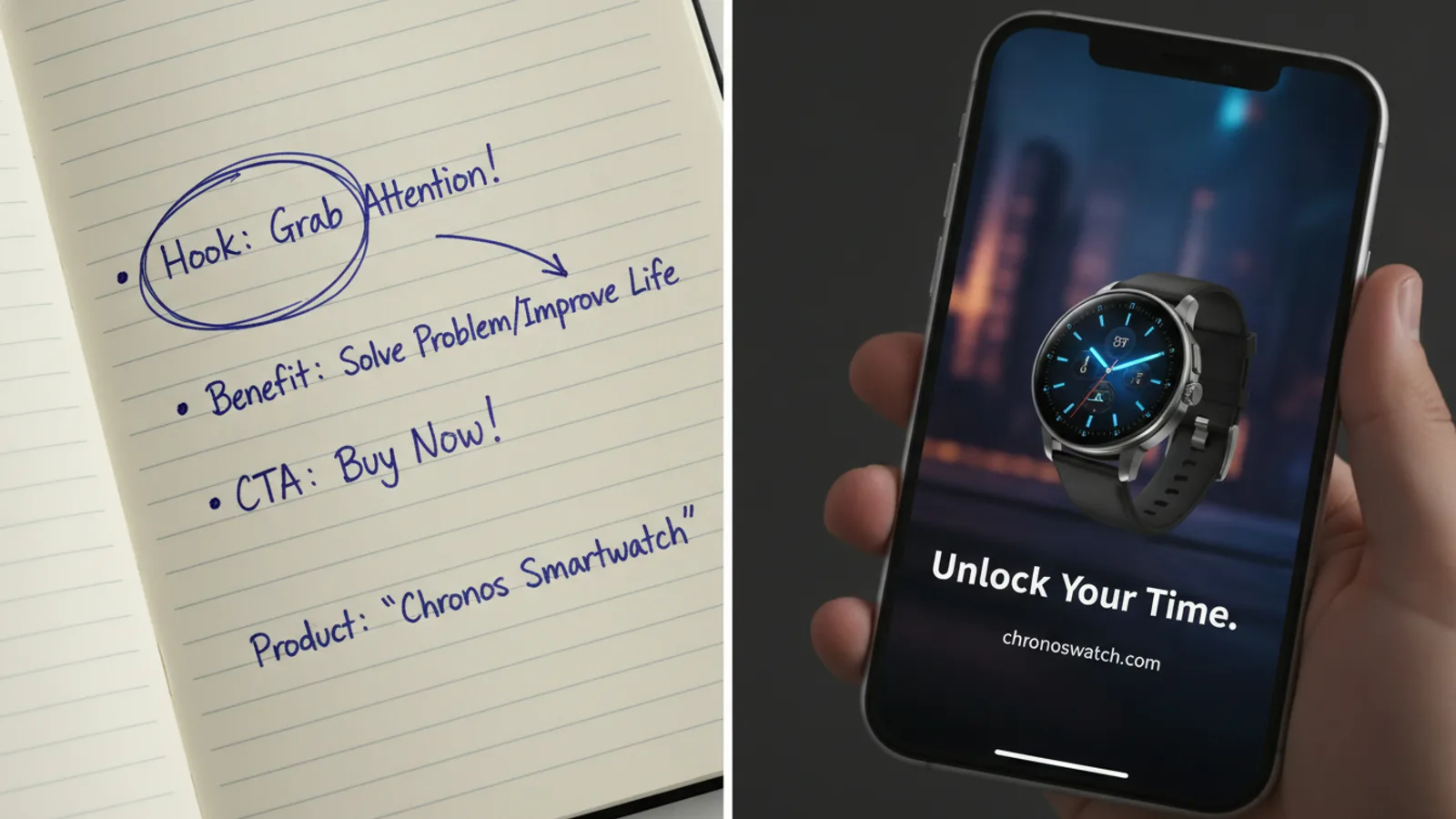
A commercial script is a two-column plan of an ad: what the viewer sees on the left, what they hear on the right, one row per beat, starting with a hook, then one benefit per beat and a call to action at the end. A 30-second commercial script holds roughly 60 to 75 spoken words, about four beats of 7 to 8 seconds each.
Below are the format, copy-ready templates for 15, 30 and 60 seconds, five full commercial script examples for made-up products, and how to turn a script into a finished video with the AI ad video maker.
The commercial script format
Professional scripts for TV and video ads use two columns, often called VIDEO and AUDIO:
| Time | Video (what we see) | Audio (what we hear) |
|---|---|---|
| 0:00–0:08 | Close-up of the product. Text on screen: the hook. | Voice-over: the hook, said a little longer. |
| 0:08–0:16 | The product in use. Text: benefit one. | Voice-over: why that benefit matters. |
| … | … | … |
- Time keeps everyone honest: if a row has more words than its seconds allow, you see it at once.
- Video describes the shot and any on-screen text (also called a super). Write the text exactly as it should appear.
- Audio holds the voice-over (V.O.), any dialogue, music and sound effects (SFX).
You can write it in any document or spreadsheet. The columns matter more than the software.
How many words fit in a commercial
A voice-over reads at about 2 to 2.5 words a second, which gives a rough budget:
| Length | Spoken words (roughly) | Beats |
|---|---|---|
| 15 seconds | 30 to 35 | 2: hook, call to action |
| 30 seconds | 60 to 75 | 4: hook, two benefits, call to action |
| 60 seconds | 130 to 150 | 8: hook, six beats of story or benefits, call to action |
On-screen text should be shorter still: a hook of about six words and a benefit of about eight, so it can be read in one glance. That matches how Cinely builds an ad: each 8-second clip carries one text card, and the narrator says at most about 20 words over a clip.
The structure: hook, benefits, call to action
- Hook (first beat). Stop the right viewer. A question about their problem ("Flat tire again?"), a claim they want to check, or the product doing something visible. Name or show the product in this beat, not at the end.
- Benefits (middle beats). One per beat. Turn every feature into what it does for the viewer: not "20% vitamin C" but "brighter skin in your morning routine". If you cannot prove a claim, leave it out.
- Call to action (last beat). One ask, with a reason: "Book today, same-day visits". Two asks split attention.
Commercial script templates
Copy the template for your length and fill in the brackets.
15-second commercial script template (2 beats)
| Time | Video | Audio |
|---|---|---|
| 0:00–0:08 | [Product in use, close]. Text: [hook, ≤ 6 words] | V.O.: [the problem in one sentence + product name] |
| 0:08–0:16 | [Product hero shot]. Text: [call to action] | V.O.: [what to do now + the reason] |
30-second commercial script template (4 beats)
| Time | Video | Audio |
|---|---|---|
| 0:00–0:08 | [The problem, or the product solving it]. Text: [hook] | V.O.: [problem + product name] |
| 0:08–0:16 | [Benefit one shown]. Text: [benefit one, ≤ 8 words] | V.O.: [why it matters to the viewer] |
| 0:16–0:24 | [Benefit two shown]. Text: [benefit two] | V.O.: [one concrete detail] |
| 0:24–0:32 | [Product + where to get it]. Text: [call to action] | V.O.: [the ask + the reason to act now] |
60-second commercial script template (8 beats)
Same opening and closing beats; the six middle beats carry a short story (before, the moment it changes, after) or up to six benefits. Sixty seconds is long for social feeds, so use it where people chose to watch: YouTube, a product page, a presentation.
Five commercial script examples
The products and shops below are made up, so you can see the shape. Change every line to what your product really does.
1. Bike repair shop, 15 seconds
| Time | Video | Audio |
|---|---|---|
| 0:00–0:08 | A flat tire on a city street. Text: Flat tire before work? | V.O.: Flat tire on the way to work? Spoke & Chain fixes it while you wait. |
| 0:08–0:16 | The repaired bike rolling out of the shop. Text: Walk in, ride out | V.O.: Walk in on Main Street, ride out in under an hour. |
2. Skincare serum, 30 seconds
| Time | Video | Audio |
|---|---|---|
| 0:00–0:08 | The serum bottle on a bathroom shelf in morning light. Text: Tired of dull skin? | V.O.: Dull skin in the morning? Meet Glow, a light vitamin C serum. |
| 0:08–0:16 | A drop on a fingertip. Text: Light, never sticky | V.O.: It sinks in fast and never feels sticky under makeup. |
| 0:16–0:24 | The bottle next to a toothbrush and a mug. Text: One step, every morning | V.O.: One step after you wash your face. That's the whole routine. |
| 0:24–0:32 | The bottle and the box. Text: Shop now, 30% off | V.O.: Try Glow today, 30% off this week only. |
3. Dog walking service, 30 seconds
| Time | Video | Audio |
|---|---|---|
| 0:00–0:08 | A dog waiting at the door. Text: Long day at the office? | V.O.: Long day at work? Your dog's day doesn't have to be. |
| 0:08–0:16 | A walker with a dog in the park. Text: A real walk at noon | V.O.: Happy Paws takes them out for a real walk at lunchtime. |
| 0:16–0:24 | A phone showing a photo of the dog. Text: A photo after every walk | V.O.: You get a photo after every walk, so you know they're fine. |
| 0:24–0:32 | Logo and the booking page. Text: Book your first walk | V.O.: Book your first walk today. The link is right below. |
4. Budgeting app, 60 seconds
| Time | Video | Audio |
|---|---|---|
| 0:00–0:08 | A wallet and a pile of receipts. Text: Where did it all go? | V.O.: Payday was a week ago. Where did it all go? |
| 0:08–0:16 | The app's home screen. Text: See every dollar | V.O.: Penny shows every dollar you spend, in one simple list. |
| 0:16–0:24 | Spending grouped into colours. Text: Sorted for you | V.O.: It sorts your spending for you: food, rent, fun. |
| 0:24–0:32 | A goal bar filling up. Text: Save for one goal | V.O.: Pick one goal, a trip or a new phone, and watch it grow. |
| 0:32–0:40 | A gentle notification. Text: A nudge, not a lecture | V.O.: A small reminder when you're close to your limit. |
| 0:40–0:48 | Two people planning together. Text: Plan it together | V.O.: Share a budget with your partner, if you want to. |
| 0:48–0:56 | A calm person closing the app. Text: Less stress on payday | V.O.: Less guessing, less stress at the end of the month. |
| 0:56–1:04 | App icon and store badges. Text: Download Penny today | V.O.: Download Penny today and plan your next payday. |
5. Candle shop holiday batch, 30 seconds
| Time | Video | Audio |
|---|---|---|
| 0:00–0:08 | A candle lit on a winter windowsill. Text: The smell of December | V.O.: Some smells are the whole holiday. This is one of them. |
| 0:08–0:16 | Hands pouring wax in a small workshop. Text: Poured by hand | V.O.: Our pine and orange candle is poured by hand, in small batches. |
| 0:16–0:24 | A wrapped candle under a tree. Text: A gift that's ready | V.O.: Gift-wrapped and ready, so it's one less thing on your list. |
| 0:24–0:32 | The shop front. Text: Only until Dec 20 | V.O.: Get yours before December 20th, when this batch is gone. |
If your offer has a deadline or a discount, make sure it is real and still true on the day the ad runs.
A note on radio commercial scripts
A radio script has only the audio column, so the words must paint the picture. Say the product name early and again near the end, say the call to action twice (and make it easy to remember: a short web address, a street name), describe what the listener would see, and use one sound effect that tells the story faster than a sentence. The same word budget applies: about 60 to 75 words for 30 seconds.
Checklist before you film or generate
- The hook names a problem or a want of this viewer, in six words or fewer on screen.
- The product appears in the first beat.
- One idea per beat; each benefit is something the viewer gets.
- Every claim is true and you can show it. No invented reviews, no "best in the world".
- One call to action, the same one in the text and the voice-over.
- Read it aloud with a timer. Too long? Cut a beat, don't speed up.
- No other brand's logo, song or character, and no real person who has not agreed.
Turn the script into a video with AI
You do not need a camera crew for a short product ad. On Cinely's AI ad video maker:
- Product photos (optional, up to 3). The ad is drawn from the first one, so use a clear shot on a plain background. No photo? The product is drawn from its name and description, which works for a shop, a service or an app.
- Product name (required, up to 80 characters).
- What makes it good? (optional, up to 600 characters). Paste your script's benefits here, one short sentence each, plus who it is for. This is how you steer the lines.
- Call to action (optional, up to 40 characters). Shown on the last clip exactly as you type it.
- Presenter (optional): up to two people from a photo each, the same face in every clip. Yourself or people who agreed, never a celebrity.
- Narrator voice: Auto, a voice from the catalog, or your own voice.
- Length and frame: 15, 30, 45 or 60 seconds; portrait 9:16 for Reels, TikTok and Shorts, landscape 16:9 for YouTube and websites.
- Preview ad. Cinely writes the hook, a benefit for each middle clip and the voice-over, and shows every line. The preview is free. If a line is off, change the description and preview again.
- Approve to spend the credits and make the clips.
| Length | Clips of 8 s | Standard | Cinematic (Premium) |
|---|---|---|---|
| 15 s | 2 | 60 credits | 120 credits |
| 30 s | 4 | 120 credits | 240 credits |
| 45 s | 6 | 180 credits | 360 credits |
| 60 s | 8 | 240 credits | 480 credits |
Downloads from a free account carry a small "Made with Cinely" badge; Premium removes it, which matters for a paid ad. For the whole process from goal to finished file, read how to make a commercial with AI; for concepts by kind of business, see 12 commercial ideas for a small business.
Scripts for other ad styles
- Vertical social ads: the same beats, tighter. See how to make the video for Instagram Reels ads and YouTube Shorts and in-stream ads.
- Creator-style (UGC) ads, where a person talks to the camera about the product: a different script shape, covered in UGC script templates and hooks, made with the UGC video maker.
- Product-first ads from photos: tips on photos and product types in the AI product video generator guide.
Honest limits
A script template does not make a claim true, and an AI ad is a short video made from your inputs, not a filmed TV production. Cinely writes the lines from what you type, so read every card and voice-over line on the preview before you approve; the narrator will say them out loud. Cinely makes the video file only: it does not place, target or pay for the ad. When your script is ready, open the AI ad video maker and preview it for free.
- How many words is a 30-second commercial script?
- Roughly 60 to 75 spoken words. People read a voice-over at about 2 to 2.5 words a second, and a 30-second ad needs a little air at the start and the end. If the read-aloud runs long, cut a benefit rather than speaking faster.
- What is the format of a commercial script?
- Two columns. The left column says what we see (the shot and any text on screen), the right column says what we hear (voice-over, dialogue, music, sound). Each row is one beat of the ad, numbered with its time, so anyone filming or editing knows what goes where.
- What should a commercial script include?
- A hook in the first seconds, one benefit per beat in the middle, and one call to action at the end. Name the product early, put the key words on screen for people who watch muted, and end on what the viewer should do next.
- Can I turn my commercial script into a video with AI?
- Yes. On Cinely's AI ad video maker you type the product name, what makes it good and your call to action; Cinely writes the hook, the benefits and the voice-over from those lines and shows them on a free preview before any credits are spent. There is no box for pasting a full script line by line, so put your script's benefits in the description.
Written with AI assistance and edited by the Cinely Team.