
YouTube Video Ads: Make Shorts and In-Stream Ads
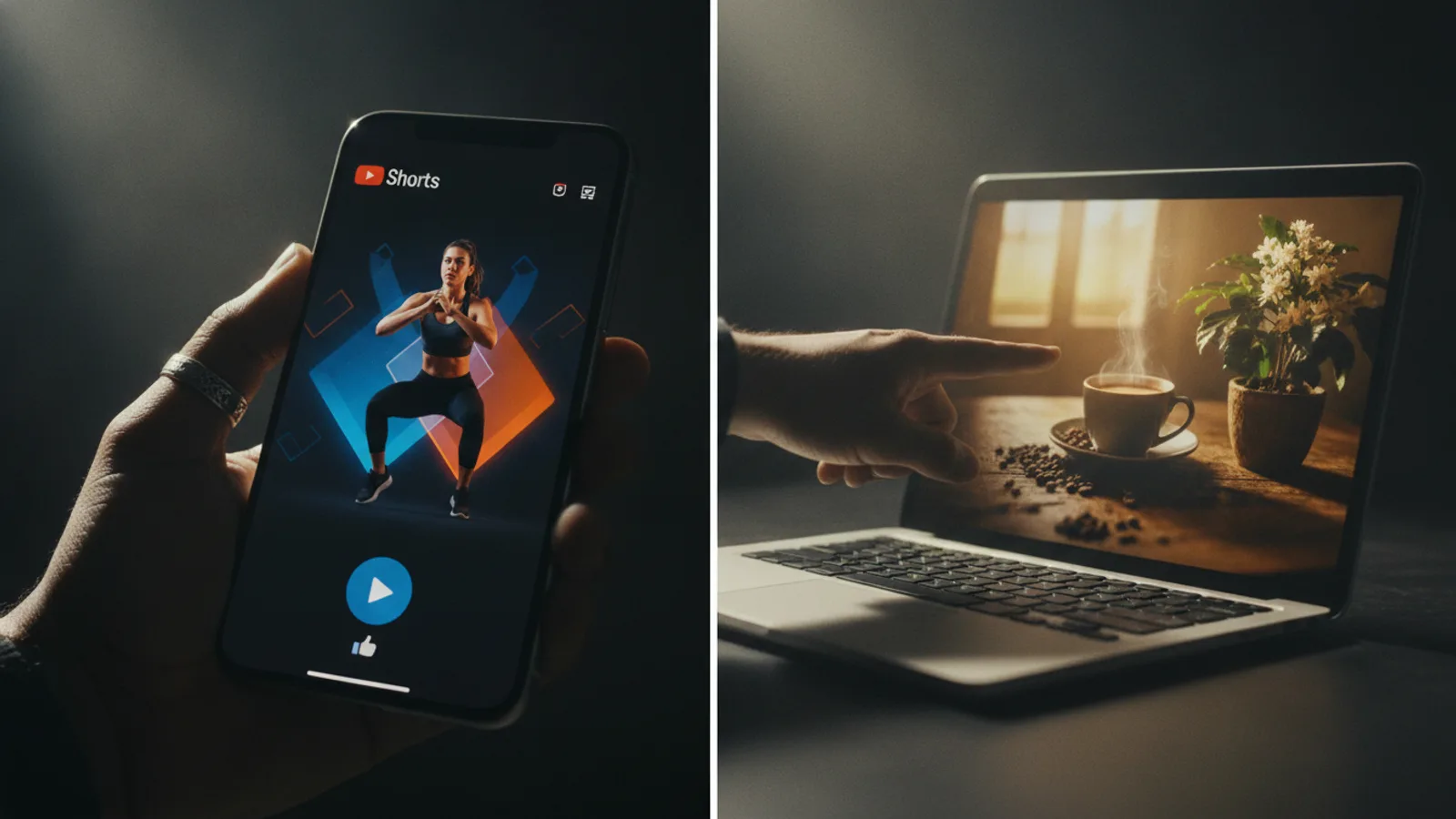
A YouTube video ad comes in two shapes: a vertical 9:16 video for Shorts ads, which play full screen between Shorts in the feed, and a horizontal 16:9 video for in-stream ads, which play before, during or after a regular video. In both, the product and the reason to care must arrive in the first seconds, before the viewer swipes away or skips.
This guide covers the video itself, not bidding or targeting: the two frames, the opening, sound, length, two example scripts and how to make both versions with Cinely's AI ad video maker.
Shorts ads vs in-stream ads
| Shorts ad | In-stream ad | |
|---|---|---|
| Where it plays | In the Shorts feed, between Shorts | Before, during or after a regular video |
| Frame | Vertical 9:16, full screen on a phone | Horizontal 16:9 |
| How viewers leave | Swipe to the next Short | Often a skip button after the first few seconds |
| What it should feel like | A Short: fast, close, one idea | A short commercial with a clear opening |
A Shorts ad that looks like a landscape TV spot squeezed into a phone screen stands out for the wrong reason. Make the vertical version for Shorts and the horizontal one for in-stream.
On the AI ad video maker the frame is one setting: portrait 9:16 or landscape 16:9. There is no square option.
The first seconds: beat the swipe and the skip
Most of a YouTube ad's work happens before the viewer can leave. Put these in the first clip:
- The product, on screen. Not a logo animation, not a slow fade.
- A hook in a few words: a question about the viewer's problem ("Still losing your keys?") or a claim they want to check.
- The name, said in the voice-over, so even someone who skips has heard it.
On Cinely the first clip always carries the hook card, about six words, written from your product description. You read it on the free preview and change the description if it does not stop you.
Sound: the voice-over carries more on YouTube
People often watch YouTube with the sound on, so the voice-over can do more of the explaining than on a muted feed. Still keep the key words on screen: some viewers are muted, and text makes the message land twice.
- Text card: the short version (about eight words for a benefit).
- Voice-over: the same idea, said a little longer, never a different message.
Cinely burns the cards into the video, a hook on the first clip, a benefit on each middle clip and the call to action on the last, and the narrator says at most about 20 words over each 8-second clip. The narrator can be Auto, a voice from the catalog, or your own recorded voice.
Length: start with 15 or 30 seconds
Shorter is easier to finish watching, and short ads are cheaper to make in several versions. A good first test:
- 15 seconds: a hook and a call to action. Fits Shorts well.
- 30 seconds: a hook, two benefits, a call to action. Works in both places.
- 45 to 60 seconds: for a product that needs explaining, in-stream, where viewers who stay chose to watch.
One call to action
End on one thing to do, with a reason: "Shop now, free shipping this week". You type the call to action yourself on Cinely, up to 40 characters, and it appears on the last clip exactly as written. Make it match the button or link you set up in the campaign.
Two YouTube ad examples you can copy
Made-up products, so you can see the shape. Change every line to what your product really does.
Shorts ad, 15 seconds (2 clips, portrait), a key finder tag
| Clip | Card on screen | Voice-over |
|---|---|---|
| 1 (hook) | Still losing your keys? | Lost your keys again? Clip a Tracey tag on them and stop looking. |
| 2 (call to action) | Get Tracey, ships today | Get Tracey today. Orders ship the same day. |
In-stream ad, 30 seconds (4 clips, landscape), an online language course
| Clip | Card on screen | Voice-over |
|---|---|---|
| 1 (hook) | Spanish in ten minutes a day | Want to speak Spanish on your next trip? Hablo takes ten minutes a day. |
| 2 (benefit) | Real conversations, not lists | You practise real conversations, not long lists of words. |
| 3 (benefit) | Learn on your commute | Short lessons fit your commute, your lunch break or your sofa. |
| 4 (call to action) | Start your free lesson | Start your first lesson free today. |
Only say "free" or "ships today" if it is true. You do not have to write these lines: Cinely writes the hook, the benefits and the voice-over from what you type, and you approve them on the preview. For more script shapes and word counts, see commercial script examples.
How to make a YouTube ad on Cinely
- Open the AI ad video maker on the web or in the Cinely app on iOS or Android (one account).
- Product photos (optional, up to 3). The ad is drawn from the first one: the product on a plain background, label readable. No photo? The product is drawn from its name and description, which suits an app or a service.
- Product name (required, up to 80 characters), What makes it good? (optional, up to 600) and Call to action (optional, up to 40).
- Presenter (optional): up to two people from a photo each, the same face in every clip. Yourself or people who agreed, never a celebrity.
- Narrator voice: Auto, a catalog voice or your own voice.
- Quality and style: Standard, or Cinematic if you have Premium. Pick a visual style.
- Length and frame: portrait for a Shorts ad, landscape for in-stream.
- Preview ad. Read every card and voice-over line. The preview is free.
- Approve. Credits are spent and the clips are made.
For both versions, make the ad twice with the same inputs, once in portrait and once in landscape.
| Length | Clips | Standard | Cinematic (Premium) |
|---|---|---|---|
| 15 s | 2 | 60 credits | 120 credits |
| 30 s | 4 | 120 credits | 240 credits |
| 45 s | 6 | 180 credits | 360 credits |
| 60 s | 8 | 240 credits | 480 credits |
Downloads from a free account carry a small "Made with Cinely" badge; Premium removes it. Photo tips by product type are in the AI product video generator guide.
Getting the video into Google Ads
YouTube ads use a video that lives on YouTube. Download the finished file from Cinely, upload it to your YouTube channel (it can be unlisted), then create a video campaign in Google Ads and choose that video as the ad. The audience, the budget and where the ad runs are set there, not in Cinely. Watch the ad on a phone and on a computer before it goes live.
Test a few versions
One ad is a guess. Make two or three videos that change one thing, the hook, the first benefit or the length, and compare them in the same campaign. For different angles to try, see 12 commercial ideas for a small business; the same ad in vertical form also works for Instagram Reels ads.
When a creator-style video fits better
Shorts are full of people talking straight to their phone. If you want that feel, an AI creator holding your product and talking to the camera, use the UGC video maker and read how to make an ad look phone-shot.
Honest limits
Cinely makes the video, not the campaign: it does not upload to YouTube, target or pay for the ad, and it says nothing about how an ad will perform. It makes portrait 9:16 or landscape 16:9, not square. Read every claim on the preview, since the narrator says it out loud. For planning any ad from goal to file, see how to make a commercial with AI, then open the AI ad video maker and preview your YouTube ad for free.
- What size should a YouTube Shorts ad video be?
- Vertical 9:16, the full-screen phone frame Shorts use. A horizontal 16:9 video is the shape for in-stream ads that play before, during or after a regular YouTube video. Making both versions from the same script covers both places.
- How long should a YouTube video ad be?
- Start short. A 15-second ad (a hook and a call to action) or a 30-second ad (a hook, two benefits, a call to action) is a sensible first test. On Cinely's AI ad video maker those are 2 or 4 clips of 8 seconds; 45 and 60 seconds are there for products that need more explaining.
- Does Cinely run the ad on YouTube for me?
- No. Cinely makes the video file. You upload it to your YouTube channel and choose it as the ad's video when you create a video campaign in Google Ads, where you set the audience and the budget.
- Is there a watermark on the video?
- Downloads from a free account carry a small "Made with Cinely" badge. Premium removes it, which is what you want for a paid ad.
Written with AI assistance and edited by the Cinely Team.